

Orphan pages are pages that exist on your website but receive no internal links from any other page, making them effectively invisible to both search engine crawlers and most visitors. They are a surprisingly common technical SEO issue that can quietly suppress organic visibility, waste crawl budget, and leave valuable content unindexed. This guide explains how to detect orphan pages using practical methods, why they occur, how to prioritise fixes, and when internal linking or external link acquisition may support recovery.
Key Takeaways
- An orphan page has no internal links pointing to it, so search engine crawlers may never discover or index it through normal crawling.
- Detection requires comparing your sitemap or database against a full site crawl, because standard crawlers only follow links they can reach.
- Not every orphan page needs to be rescued — some should be redirected, consolidated, or removed entirely.
- Internal linking is the primary fix; external backlinks can support indexation but do not replace a sound internal link structure.
- Orphan pages are often a symptom of broader site architecture or content management issues that benefit from a structured audit.
What Is an Orphan Page?
An orphan page is any page that exists within a website’s URL structure but has no internal links pointing to it from other pages on the same domain. Because search engine crawlers such as Googlebot discover pages primarily by following links, a page with no inbound internal links is unlikely to be crawled regularly, if at all. Even if the page was indexed at some point in the past, it may be dropped from the index over time if crawlers cannot reach it through the site’s link graph.
Orphan pages differ from pages that are simply poorly linked. A page with only one or two internal links from low-traffic sections of a site is weakly linked, but it is not technically an orphan. A true orphan has zero internal links pointing to it from anywhere on the domain. This distinction matters because the fix for a weakly linked page is different from the fix for a completely disconnected one.
It is also worth distinguishing orphan pages from intentionally excluded pages. Login pages, thank-you pages, and certain checkout steps are often deliberately kept out of the internal link structure and the sitemap. These do not require the same remediation as unintentionally orphaned content pages, product pages, or blog posts.
Why Orphan Pages Occur
Orphan pages accumulate for several common reasons, and understanding the cause helps determine the right fix. Content management system migrations are a frequent culprit: when a site moves platforms, old URLs may not be recreated in the new navigation, leaving previously linked pages stranded. Similarly, when site navigation is redesigned or category structures are reorganised, pages that were previously accessible through menus or category listings can lose all their internal links overnight.
E-commerce websites are particularly prone to orphan pages because product pages are often created programmatically and may be removed from category listings when a product goes out of stock, without being redirected or removed from the sitemap. Blog archives can create the same problem when pagination is removed or when older posts are no longer surfaced through any tag, category, or related-content widget.
Campaign landing pages and A/B test variants are another common source. These pages are often created quickly, linked from paid advertisements or email campaigns, and then forgotten after the campaign ends. Once the ad spend stops, the only path to the page disappears, leaving it orphaned. Seasonal content, event pages, and press releases follow a similar pattern.
How to Find Orphan Pages
Finding orphan pages requires a two-step process: generating a complete list of URLs that exist on your site, then comparing that list against the URLs your crawler can actually reach by following links. The gap between the two lists reveals your orphan pages.

Step 1: Compile a Full URL List
Your XML sitemap is the most practical starting point for a full URL list, provided it is kept up to date. Export all URLs from your sitemap and treat this as your reference set. If your sitemap is incomplete or unreliable, you can supplement it by exporting URLs directly from your CMS database, your Google Search Console coverage report, or a log file analysis. Google Search Console’s URL Inspection tool and the Index Coverage report can also surface URLs that Google has discovered or attempted to crawl, including pages it found but could not index. Combining these sources gives you the most complete picture of what exists on your site.
Step 2: Crawl Your Site for Linked URLs
Run a full site crawl using a tool such as Screaming Frog SEO Spider, Sitebulb, or a similar crawler. These tools start from your homepage and follow every internal link they encounter, building a map of all pages reachable through your link structure. Export the list of crawled URLs. This list represents everything a search engine crawler could theoretically discover by following links from your homepage.
Step 3: Compare the Two Lists
Any URL that appears in your full URL list but does not appear in your crawl results is a candidate orphan page. In Screaming Frog, you can automate part of this process by uploading your sitemap and using the tool’s built-in orphan page detection feature, which flags sitemap URLs that were not reached during the crawl. Ahrefs Site Audit and Semrush Site Audit both include orphan page reports that perform a similar comparison. For large sites, a spreadsheet VLOOKUP or a simple script comparing the two exported lists works reliably.
Using Google Search Console and Log Files
Google Search Console provides a complementary perspective. The Coverage report shows pages Google has indexed, pages it has discovered but not indexed, and pages it has excluded. Pages listed as “Discovered — currently not indexed” or “Crawled — currently not indexed” may include orphan pages that Google found through a sitemap submission but cannot reach through internal links. Server log file analysis goes further by showing which URLs Googlebot actually requested over a given period, helping you identify pages that receive no crawl visits despite existing on the site.
Assessing Which Orphan Pages Matter
Not every orphan page deserves the same response. Before deciding on a fix, assess each orphan page against a few practical criteria. Does the page have meaningful organic traffic, even if modest? Does it have external backlinks pointing to it? Is the content unique, accurate, and aligned with genuine search demand? Does it serve a clear purpose within the site’s content strategy? Pages that score well on these questions are strong candidates for rescue through improved internal linking.
Pages with no traffic, no external links, thin or duplicate content, and no clear purpose are better candidates for consolidation, redirection, or removal. Keeping low-quality orphan pages alive and indexed can dilute overall site quality signals, which may affect how search engines assess the broader domain. Prioritising quality over quantity when deciding which orphan pages to rescue is generally the more defensible approach.
Third-party tools such as Ahrefs and Semrush can show whether an orphan page has referring domains pointing to it. If an orphaned page carries external backlinks, preserving that page and its URL — or redirecting it carefully to a relevant live page — protects the link equity those backlinks may pass. Discarding a page with genuine external links without a redirect wastes that accumulated value.
How to Fix Orphan Pages
The appropriate fix depends on the page’s quality, purpose, and the reason it became orphaned. The options below cover the most common scenarios.

Add Internal Links from Relevant Pages
For pages with good content and genuine search value, the primary fix is to add internal links from topically related pages already within your site’s crawlable structure. Identify pages that discuss related topics and add contextual links using descriptive anchor text that reflects the target page’s content. A blog post about email marketing strategy, for example, is a natural place to link to an orphaned guide on email list segmentation. These contextual internal links help crawlers discover the page, pass relevance signals, and give users a logical path to the content.
When adding internal links, prioritise pages that already receive crawl visits and have reasonable organic visibility. A link from a well-crawled, topically relevant page is more likely to result in the orphan page being discovered and indexed than a link buried in a footer or sidebar with dozens of other links. Navigation menus, breadcrumb trails, related-content widgets, and hub or pillar pages are all practical vehicles for restoring internal link coverage to orphaned content.
Include the Page in Your Sitemap
Submitting a URL through your XML sitemap signals to search engines that the page exists and should be considered for crawling. However, a sitemap submission alone does not guarantee indexation, and it does not replace internal links. Google’s documentation notes that sitemaps are a hint, not a directive. A page that appears in a sitemap but has no internal links and thin content may still be excluded from the index. Sitemap inclusion is most effective when combined with internal linking and quality content.
Redirect, Consolidate, or Remove Low-Value Orphans
For orphan pages with duplicate content, outdated information, or no clear search demand, a 301 redirect to the most relevant live page is usually the cleanest solution. This preserves any link equity the orphan page may have accumulated and removes a low-quality URL from the index. If no closely relevant page exists, consider whether the content could be merged into an existing page rather than maintained separately. Pages with no redirection target and no value can be removed and returned as a 404 or 410 status, though this should be done carefully for any URL that carries external backlinks.
Create New Hub or Category Pages
When multiple orphan pages share a common theme, creating a new hub page or category page that links to all of them can resolve several orphan issues simultaneously. This approach also improves site architecture by grouping related content under a logical parent page, which can benefit topical relevance signals across the cluster. Hub pages work particularly well for blog content organised by topic, product ranges grouped by use case, or service pages grouped by industry.
The Role of External Links in Orphan Page Recovery
External backlinks pointing directly to an orphan page can help search engines discover and index that page even without internal links, because crawlers follow external links from other domains as well as internal links. If a high-quality external site links to your orphaned page, Googlebot may crawl and index it through that external path. This is one reason why checking for existing external backlinks is a useful step before deciding to redirect or remove an orphan page.
However, relying on external links as the primary discovery mechanism for orphan pages is not a sustainable strategy. External links are outside your direct control, may be removed at any time, and do not provide the consistent crawl signals that a well-structured internal link network delivers. The practical approach is to fix the internal link structure first, then consider whether targeted external link acquisition to specific high-value pages may support broader visibility goals.
For websites where certain pages are strategically important — such as key service pages, product category pages, or cornerstone content — external link building to those pages can complement strong internal linking. The two work together: internal links ensure crawlers can reach the page reliably, while external links from relevant, authoritative domains may contribute to how the page is evaluated for competitive search queries. Neither replaces the other, and external link acquisition is most effective when the target page is already well-integrated into the site’s internal structure.
Orphan Pages and Crawl Budget
Crawl budget refers to the number of URLs a search engine crawler will fetch from a site within a given period. For large websites with thousands or tens of thousands of pages, crawl budget management becomes a meaningful consideration. Orphan pages that are included in a sitemap but disconnected from the internal link structure can consume crawl budget without contributing to the site’s indexation goals, particularly if those pages are low quality or duplicative.
Fixing orphan pages by either improving their internal link coverage or removing them from the sitemap and returning appropriate HTTP status codes can help concentrate crawl activity on the pages that matter most. This is particularly relevant for e-commerce sites with large product catalogues, news sites with extensive archives, and any site that has undergone multiple migrations or significant structural changes over time.
Preventing Orphan Pages from Recurring
Detection and remediation are necessary, but preventing orphan pages from accumulating again requires process changes. A few practical measures reduce the likelihood of new orphans appearing after content is published or site changes are made.
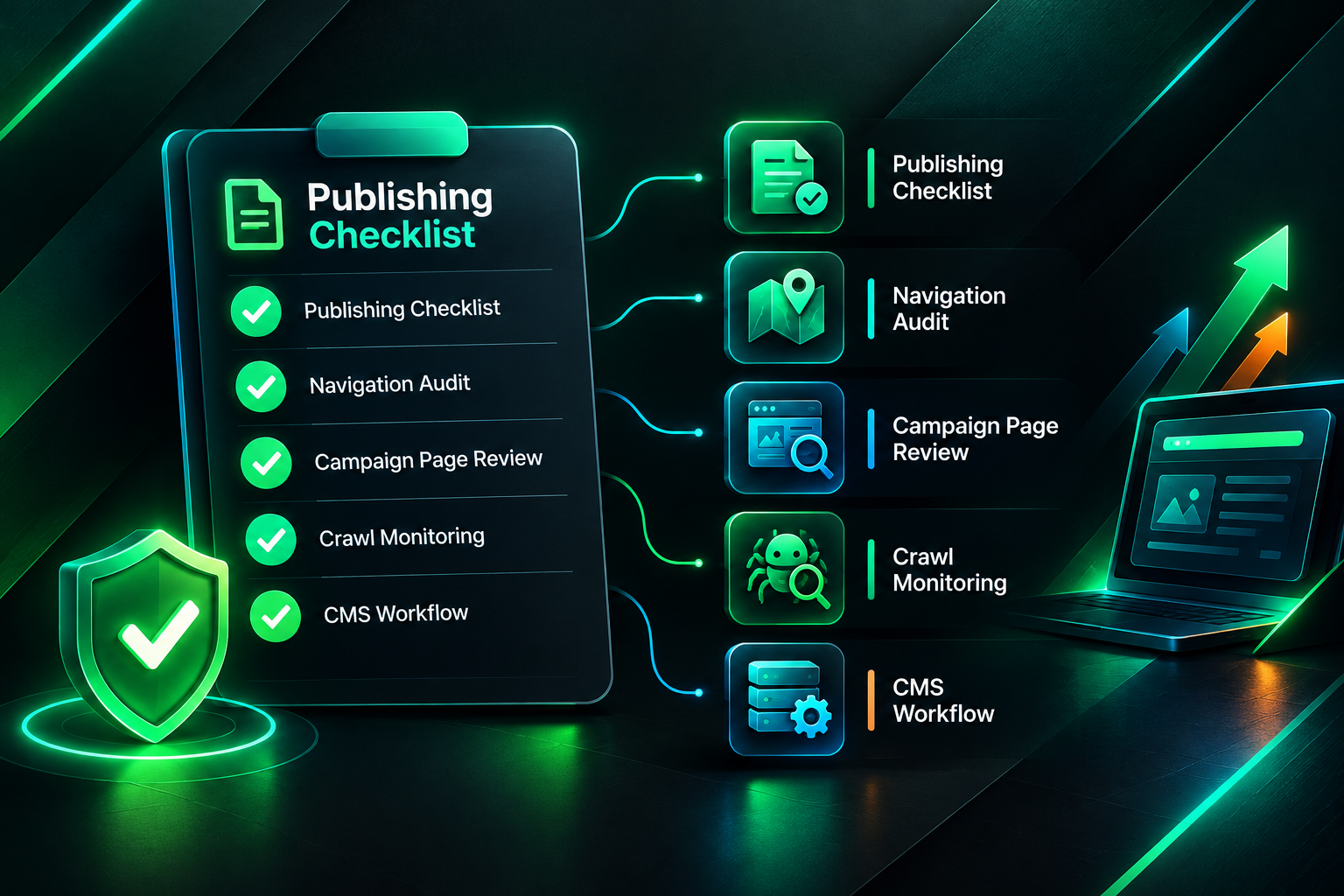
- Content publishing checklists: Require that every new page includes at least one internal link from an existing page before it is published. This simple step prevents new content from launching as an orphan.
- Navigation and category audits: When restructuring menus, categories, or site navigation, audit which pages lose their internal links as a result and address them before the changes go live.
- Campaign page management: Establish a process for reviewing and redirecting campaign landing pages after campaigns end, rather than leaving them live and disconnected.
- Regular crawl monitoring: Schedule periodic site crawls — monthly or quarterly depending on site size and publishing frequency — and compare results against your sitemap to catch new orphans early.
- CMS workflow integration: Some content management systems support plugins or custom workflows that flag pages with no internal links before publication. Where available, these reduce the manual overhead of orphan prevention.
Orphan Pages Within a Broader SEO Audit
Orphan page detection is most valuable when it forms part of a broader technical SEO audit rather than a standalone exercise. A page may be orphaned and also suffer from slow load times, thin content, or a search-intent mismatch — problems that internal linking alone will not resolve. Addressing orphan status without also addressing content quality or page experience issues may result in a page that is now crawlable but still unlikely to rank competitively.
Similarly, low organic visibility is not always caused by orphan pages. Crawling and indexation problems, weak or outdated content, strong competition, insufficient topical authority, and technical issues such as incorrect canonical tags or noindex directives can all suppress rankings independently of internal link coverage. A site-specific audit is the appropriate way to identify which factors are most likely contributing to underperformance before committing to a particular remediation strategy.
When orphan pages are identified as a meaningful issue, fixing them is generally a high-priority, low-cost action relative to other SEO interventions. Internal linking improvements require no external resources, no outreach, and no budget beyond the time needed to identify and implement them. For that reason, resolving orphan pages is usually worth addressing before investing in external link acquisition campaigns, unless the site’s internal structure is already sound and the primary gap is domain-level authority or competitive link profiles.
Frequently Asked Questions
Can an orphan page still rank in search results?
It is possible for an orphan page to rank if it was previously indexed and has not been dropped, or if external backlinks from other domains allow crawlers to discover and index it. However, orphan pages are generally at a disadvantage because they receive no internal link equity, may be crawled infrequently, and are more likely to be excluded from the index over time. Consistent internal linking significantly improves the reliability of indexation and ranking potential.
How often should I check for orphan pages?
The appropriate frequency depends on how actively your site publishes new content and how often structural changes are made. For sites that publish regularly or undergo frequent navigation changes, a monthly crawl comparison is reasonable. For more stable sites, a quarterly audit may be sufficient. Any significant site migration, redesign, or CMS change should trigger an immediate orphan page check.
Do orphan pages hurt my overall site SEO?
Orphan pages with thin, duplicate, or low-quality content may contribute negatively to overall site quality signals if they are indexed. A large number of low-value indexed pages can affect how search engines assess the domain as a whole, though the precise impact varies by site and is difficult to isolate. Orphan pages with good content that are simply undiscovered represent a missed opportunity rather than an active harm, but they still warrant attention.
Is submitting orphan pages to Google Search Console enough to get them indexed?
Submitting a URL through Google Search Console’s URL Inspection tool or including it in your sitemap signals that the page exists, but it does not guarantee indexation. Google evaluates whether the page merits inclusion in the index based on content quality, relevance, and other factors. Adding internal links from relevant pages is a more reliable way to support consistent crawling and indexation alongside sitemap submission.
Should I build external backlinks to orphan pages?
External backlinks can help search engines discover orphan pages, but they are not a substitute for internal linking. If a page is strategically important and has strong content, external link acquisition may support its visibility once internal links are in place. Building external links to a page with no internal links and weak content is unlikely to produce meaningful results and may not be the best use of link building resources.
What tools are best for finding orphan pages?
Screaming Frog SEO Spider is widely used for orphan page detection because it allows you to upload a sitemap and compare it against crawled URLs directly. Sitebulb, Ahrefs Site Audit, and Semrush Site Audit all include orphan page detection features. Google Search Console’s Coverage report and server log file analysis provide complementary data, particularly for understanding how Googlebot is actually interacting with your site.
Deciding Whether to Fix, Redirect, or Remove Each Orphan Page
Orphan page remediation is not a single action but a series of page-level decisions. For each orphan page identified, the practical question is whether the page deserves to be rescued, redirected, or removed. Pages with genuine search demand, unique content, and existing external backlinks are strong candidates for rescue through internal linking and, where appropriate, targeted external link building. Pages with duplicate content, no traffic, and no external links are better consolidated or removed to keep the site’s indexed content focused and high quality.
The most effective approach combines a reliable detection method, a clear prioritisation framework, and a process change that prevents new orphans from accumulating. For websites where orphan pages are widespread — particularly after migrations or major structural changes — working through a structured technical SEO audit before investing in external link acquisition is likely to produce better returns. Internal linking improvements are within your direct control, require no outreach or budget, and can meaningfully improve crawl coverage and indexation for pages that already have the content quality to compete. External link building then becomes a complementary investment for pages that are already well-integrated into the site’s architecture and ready to benefit from increased authority signals.