
Backlinks lose their value when the pages they point to return errors, redirects, or unexpected HTTP responses. Checking status codes one URL at a time is impractical at any meaningful scale, so bulk status code checking has become a standard part of backlink auditing for SEO teams and agencies managing large link profiles. This guide explains what HTTP status codes mean for backlinks, which tools and methods work reliably at scale, how to interpret results, and what actions are worth prioritising.
Key Takeaways
- HTTP status codes tell you whether a backlink source page is live, redirected, broken, or blocked — each state affects how much link equity may pass to your site.
- Bulk checking requires either a dedicated crawler, a backlink analysis tool with status code export, or a scripted HTTP request workflow — manual checking is not practical beyond a handful of URLs.
- A 301 redirect on a linking page does not automatically destroy link value, but a chain of redirects or a redirect to an irrelevant destination may dilute it.
- 404 and 410 errors on linking pages represent lost backlinks that may be worth recovering through outreach or content restoration, depending on the source quality.
- Status code audits are most useful when combined with link quality assessment — fixing a broken link from a low-quality source is rarely worth the effort.
What HTTP Status Codes Mean for Backlinks
An HTTP status code is a three-digit number returned by a web server when a browser or crawler requests a URL. For backlink auditing purposes, the status code of the linking page — the page that contains the link pointing to your site — determines whether that link is currently accessible and whether it is likely passing any value. Understanding the most common codes is essential before running any bulk check.
200 OK means the page is live and accessible. A backlink on a 200-status page is in its expected working state, assuming the link itself has not been removed from the page content or changed to a nofollow or sponsored attribute after the backlink tool last crawled it.
301 Moved Permanently indicates the page has been permanently redirected to a new URL. Google has stated that 301 redirects pass signals similarly to direct links, though some SEO practitioners observe that long redirect chains may reduce the equity passed. A 301 on a linking page is not automatically a problem, but it warrants investigation if the destination is unrelated to the original content.
302 Found is a temporary redirect. Search engines may treat temporary redirects differently from permanent ones, and link equity passing through a 302 is less predictable. If a linking page has been on a 302 for an extended period, it may be worth contacting the publisher to clarify the intended state.
404 Not Found means the linking page no longer exists. A backlink on a 404 page is effectively a lost link — no equity passes from a page that returns a not-found error. These represent the clearest candidates for link reclamation outreach.
410 Gone signals that the page has been intentionally and permanently removed. Unlike a 404, which may be accidental, a 410 is a deliberate deletion. Recovery through outreach is less likely, but the link should still be recorded as lost.
403 Forbidden and 401 Unauthorized indicate the page exists but is not publicly accessible. Backlinks on restricted pages are unlikely to be crawled by search engines and therefore unlikely to pass value.
500-series errors (500 Internal Server Error, 503 Service Unavailable) suggest server-side problems on the linking domain. These may be temporary, so a single check is not always conclusive. Rechecking after a delay is advisable before treating these as lost links.
Why Bulk Status Code Checking Matters for Link Profiles
A typical established website may have hundreds or thousands of referring pages across its backlink profile. Even a well-maintained link profile experiences natural link decay — pages are deleted, domains expire, sites restructure their URLs, and publishers remove content. Research from multiple SEO tool providers consistently shows that a meaningful proportion of backlinks in any profile point to pages that no longer return a 200 status, though exact figures vary by industry, site age, and niche.
Checking status codes in bulk allows an SEO team to quickly identify which portions of a link profile are actively contributing and which have degraded. This matters for several practical reasons. First, it helps prioritise link reclamation efforts — reaching out to publishers to restore or replace a lost link is only worth the time if the source domain has meaningful authority and topical relevance. Second, it informs disavow decisions, since a broken or redirected link from a spammy domain is less concerning than a broken link from a high-quality editorial source. Third, it provides a cleaner baseline for measuring the true active link profile rather than relying on raw referring domain counts that include dead pages.
For agencies managing link building campaigns on behalf of clients, bulk status code checking is also a quality assurance step. Verifying that recently placed links are returning 200 responses confirms that placements are live and accessible to search engine crawlers. If a newly placed link returns a 404 shortly after placement, it may indicate a publisher has removed the content or restructured their site, which may trigger a replacement request depending on the campaign terms.
Tools for Checking Backlink Status Codes in Bulk

Several categories of tools can handle bulk status code checks, each with different strengths depending on the scale of the task, the level of detail required, and the technical resources available.
Backlink Analysis Platforms
Tools such as Ahrefs, Semrush, and Majestic maintain large crawl databases and report on the status of linking pages as part of their backlink data. Ahrefs, for example, labels linking pages as live, broken, or redirected within its Site Explorer backlink report, and allows users to filter by HTTP code. Semrush’s Backlink Audit tool similarly categorises links by status and flags lost or broken links. These platforms are convenient because they combine status code data with authority metrics, anchor text, and link attribute information in a single interface.
The limitation of relying solely on backlink platform data is that crawl freshness varies. A platform may show a page as live based on a crawl from several weeks ago, while the page has since been deleted. For time-sensitive audits or post-campaign verification, supplementing platform data with a live crawl is advisable.
Website Crawlers
Desktop crawlers such as Screaming Frog SEO Spider can check the HTTP status of a list of URLs in list mode. You export your backlink URLs from a backlink platform, paste them into the crawler, and run a live check against each URL. Screaming Frog returns the status code, response time, and redirect chain for each URL, which makes it practical for audits of up to several thousand URLs on a standard machine. For larger lists, cloud-based crawlers or server-side tools may be more appropriate.
The advantage of a dedicated crawler is that it performs live HTTP requests rather than relying on cached data, giving you a current snapshot of each page’s status. The disadvantage is that some servers block or rate-limit automated requests, which can produce false 403 or timeout responses for pages that are actually live. Configuring a realistic crawl delay and a recognisable user agent can reduce this problem, though it cannot eliminate it entirely.
Bulk URL Checkers and API-Based Tools
Several online tools and APIs allow you to submit a list of URLs and receive status code responses in bulk. Services built around the HTTP request process — including some purpose-built SEO utilities — can handle large lists and return results in CSV format. Google Search Console does not provide bulk status code checking for external backlink URLs, but it does report crawl errors for your own site’s pages, which is relevant if you are checking whether your target pages are accessible rather than the linking pages.
Custom Scripts
For teams with development resources, a simple Python script using the requests library can check HTTP status codes for a list of URLs exported from any backlink tool. This approach offers the most control over request headers, crawl rate, timeout handling, and output format. It is particularly useful for very large lists or for integrating status code checking into an automated reporting workflow. The script can be configured to follow redirects and record the full redirect chain, which is useful for identifying multi-hop redirect sequences that may dilute link equity.
A Practical Workflow for Bulk Status Code Audits
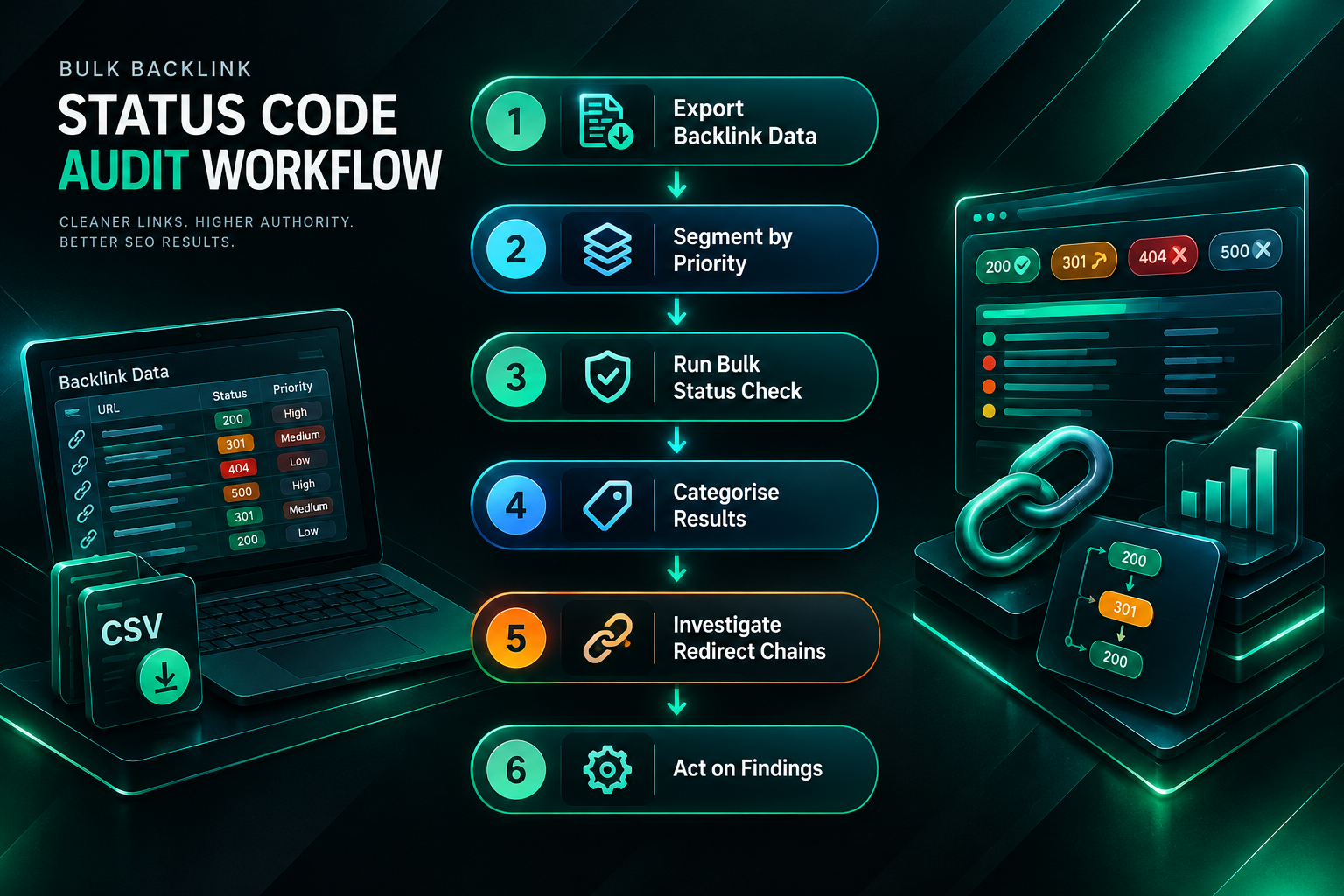
Running a bulk status code check efficiently requires a structured process rather than simply exporting URLs and running a tool. The following workflow reflects common practice among SEO teams conducting backlink audits.
Step 1: Export Your Backlink Data
Start by exporting your full backlink profile from your chosen backlink analysis platform. Export the referring page URL (the page containing the link, not the linking domain’s homepage), the target URL on your site, the anchor text, the link attribute (follow, nofollow, sponsored, UGC), and any available authority or trust metrics. Most platforms allow CSV or Excel export. Filter out duplicate referring pages if the tool lists multiple links from the same page to different target URLs — you only need to check each referring page URL once for status code purposes.
Step 2: Segment by Priority
Before running the bulk check, segment your URL list by the quality of the referring domain. Checking status codes for every referring page in a large profile is technically straightforward, but acting on the results requires prioritisation. Links from referring domains with strong topical relevance and meaningful authority metrics warrant more attention than links from low-quality or irrelevant sources. Segmenting in advance means you can focus reclamation and investigation efforts on the links most likely to contribute to your SEO goals.
Step 3: Run the Bulk Status Check
Submit your URL list to your chosen tool or script. Configure the tool to follow redirects so you can see both the initial status code and the final destination URL for any redirected pages. Record the full redirect chain where possible. Set a reasonable crawl delay to avoid triggering rate limiting on publisher servers. For very large lists, consider splitting the export into batches and running checks at different times to reduce the risk of IP-based blocking.
Step 4: Categorise and Interpret Results
Once results are returned, categorise referring pages into groups: live (200), permanently redirected (301), temporarily redirected (302), not found (404), gone (410), restricted (401/403), server error (500-series), and timeout or blocked. For each category, cross-reference with your priority segmentation from Step 2. A 404 on a high-authority, topically relevant referring page is a priority for reclamation outreach. A 404 on a low-quality directory page is not worth pursuing.
Step 5: Investigate Redirect Chains
For pages returning 301 or 302 responses, examine the redirect destination. A linking page that redirects to a relevant, live page on the same domain is generally not a concern. A linking page that redirects to an unrelated domain, a parked domain, or a page with no content relationship to the original is more problematic and may indicate domain expiry or site restructuring. Long redirect chains — three or more hops — are worth flagging even if the final destination is relevant, as each hop may reduce the equity passed.
Step 6: Act on Findings
The output of a bulk status code audit should feed directly into actionable tasks. Common actions include: contacting publishers to request restoration or replacement of pages returning 404 errors where the source is high quality; updating your disavow file if broken links from low-quality sources are a concern; flagging recently placed campaign links that have gone offline for replacement under campaign terms; and updating internal records to reflect the current active state of the link profile.
Interpreting Status Codes in the Context of Link Quality
Status codes provide technical information about page accessibility, but they do not tell you whether a link was valuable in the first place. A 200-status page can host a link that provides little or no SEO benefit if the page has thin content, no organic traffic, irrelevant topical context, or a manipulative link pattern. Conversely, a recently broken link from a genuinely authoritative editorial source represents a meaningful loss worth addressing.
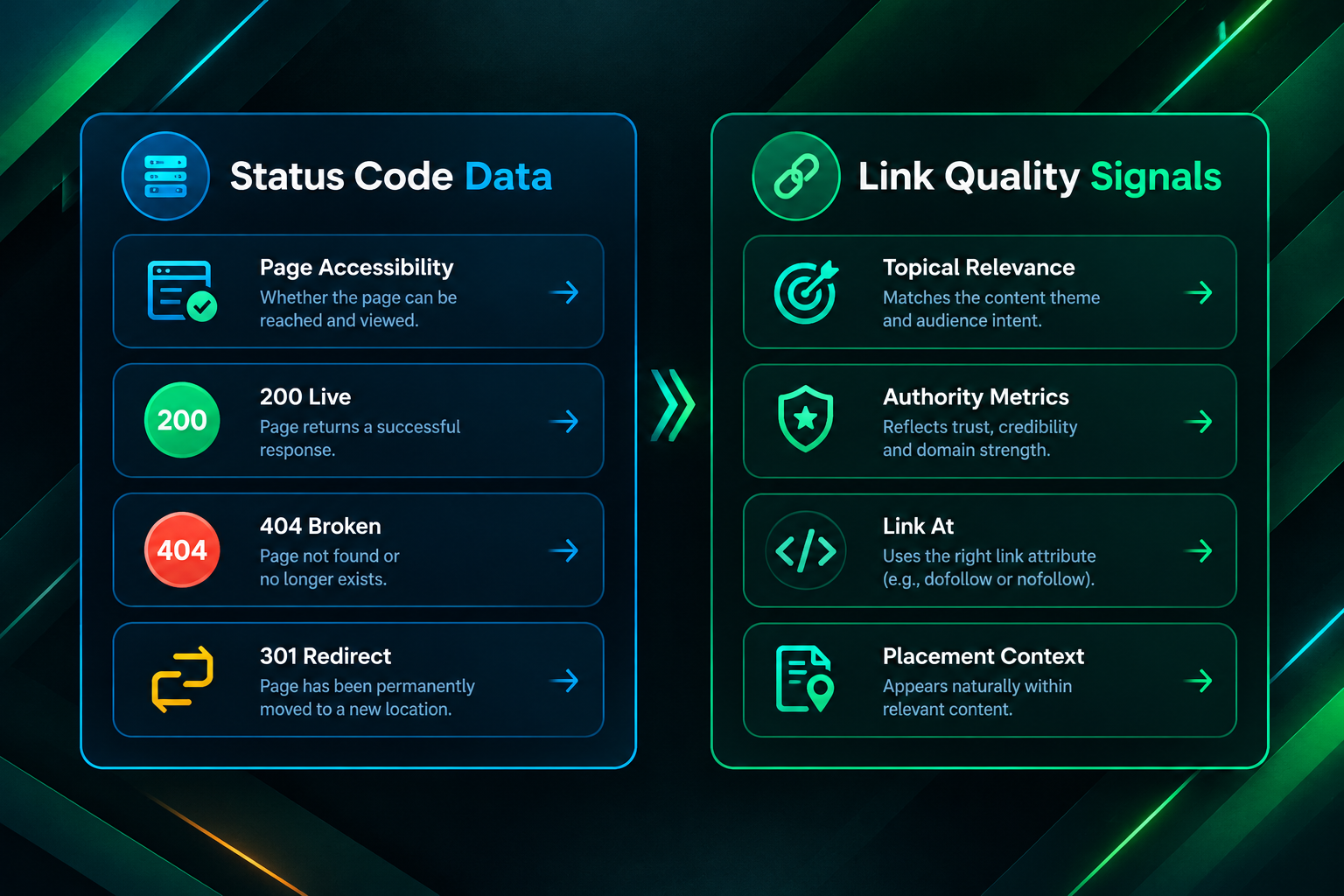
Effective bulk status code auditing therefore combines HTTP response data with link quality signals. Third-party metrics such as Ahrefs’ Domain Rating, Moz’s Domain Authority, Majestic’s Trust Flow, or Semrush’s Authority Score can help prioritise which broken or redirected links are worth investigating further. These metrics are proprietary estimates rather than Google-provided signals, and they should be treated as directional indicators rather than definitive quality scores. A high Domain Rating does not guarantee that a link passes ranking benefit, and a low score does not mean a link is worthless — topical relevance, placement context, and link attributes also matter.
When assessing whether a broken link is worth reclaiming, consider: the topical relevance of the referring domain to your site’s subject matter; whether the linking page had organic visibility before it went offline; the anchor text used and whether it is natural and relevant; and whether the link was a followed editorial placement or a nofollow directory listing. Nofollow links on broken pages are generally lower priority for reclamation than followed editorial links, though nofollow links can still contribute referral traffic and brand visibility if the source has an engaged audience.
Common Mistakes When Checking Backlink Status Codes at Scale
Several errors commonly reduce the usefulness of bulk status code audits. Checking the referring domain’s homepage rather than the specific referring page URL is a frequent mistake — a domain may be live while the specific page containing your link has been deleted. Always check the exact referring page URL, not the root domain.
Treating a single check as definitive for 500-series errors is another common issue. Server errors are often temporary, and a page that returns a 503 during one check may be fully accessible an hour later. Rechecking 500-series URLs after a delay before recording them as lost links avoids unnecessary outreach or disavow decisions based on transient server problems.
Ignoring redirect destinations is a missed opportunity. A 301 redirect is not automatically neutral — if the linking page now redirects to a completely different topic or to a low-quality destination, the link’s contribution to your profile may have changed materially. Recording and reviewing redirect destinations as part of the audit adds meaningful context.
Finally, acting on status code data without considering link quality leads to wasted effort. Spending time reclaiming broken links from low-quality sources, or adding them to a disavow file when they pose no realistic risk, diverts resources from higher-value SEO work. Status code data is most useful as a triage tool, not as a standalone action list.
How Bulk Status Code Checks Fit Into Link Building Campaign Management
For businesses and agencies running active link building campaigns, bulk status code checking serves a specific quality assurance function beyond general backlink auditing. When links are placed through manual outreach, guest posting, or niche edit campaigns, verifying that each placement is live and returning a 200 response is a standard post-placement check. If a link goes offline shortly after placement — due to a publisher removing content, restructuring URLs, or a site going down — identifying this quickly allows the campaign manager to request a replacement before the issue is overlooked.
Agencies managing white-label link building campaigns on behalf of clients often include status code verification as part of their reporting process. Providing clients with confirmation that placed links are live and accessible adds transparency and supports the case for ongoing investment. It also creates a documented record that can be used to identify link loss over time, which is relevant for campaigns that include link replacement guarantees.
Periodic re-auditing of previously placed links — typically every three to six months depending on campaign scale — helps identify links that have gone offline since placement. Natural link decay means that some proportion of placed links will eventually be lost regardless of the quality of the original placement. Tracking this over time gives a more accurate picture of the active link profile than a one-time post-campaign check.
Frequently Asked Questions
How often should I run a bulk backlink status code check?
For most websites, a quarterly audit is a reasonable starting point. Sites with large or rapidly changing link profiles, or those running active link building campaigns, may benefit from monthly checks. The appropriate frequency depends on the size of the profile, the pace of link acquisition, and how actively the team can act on findings.
Does a 301 redirect on a linking page mean the link is lost?
Not necessarily. A 301 redirect on a linking page means the page has moved permanently. If the redirect leads to a relevant, live page on the same domain that still contains your link, the link may still be accessible and passing value. If the redirect leads to an unrelated destination or the link is no longer present on the destination page, the link is effectively lost.
Can I use Google Search Console to check backlink status codes in bulk?
Google Search Console does not provide HTTP status codes for external referring pages. It reports on the crawl status of your own site’s pages and can show which external pages link to your site, but it does not return live status code data for those external URLs. For bulk status code checking of referring pages, a dedicated crawler or backlink platform is required.
What should I do with backlinks on 404 pages from high-quality sources?
The most practical first step is to contact the publisher and explain that the page containing your link appears to have been removed. Ask whether the content can be restored or whether the link can be moved to a relevant live page. If the publisher is unresponsive or the content cannot be restored, the link is lost and should be recorded as such in your backlink tracking records.
Should I disavow broken links from low-quality sources?
A broken link on a low-quality page is generally less of a concern than a live link from the same source, because a 404 page is unlikely to be crawled regularly or to pass equity. Whether to disavow depends on the overall risk profile of the referring domain rather than the status code alone. If a domain has a pattern of spammy links pointing to your site and some of those pages are now broken, disavowing the domain may still be appropriate — but the broken status alone is not the deciding factor.
How do I handle very large backlink lists — tens of thousands of URLs?
For very large lists, a custom script or API-based approach is more practical than a desktop crawler. Python scripts using the requests library with asynchronous processing can handle large volumes efficiently. Alternatively, some enterprise SEO platforms offer bulk URL checking at scale. Splitting the list into batches and running checks with appropriate delays reduces the risk of rate limiting and improves result reliability.
Does checking status codes tell me whether a link is followed or nofollowed?
No. HTTP status codes only indicate whether a page is accessible and how the server responded to the request. To determine whether a link carries a nofollow, sponsored, or UGC attribute, you need to inspect the page’s HTML — either through a crawler that reads link attributes or through your backlink analysis platform’s link attribute data. Status code checking and link attribute checking are complementary but separate steps in a backlink audit.
Making Bulk Status Code Checks a Useful Part of Your SEO Workflow
Bulk backlink status code checking is a practical, repeatable audit task that gives SEO teams a clearer picture of which parts of a link profile are actively working and which have degraded. The process is most valuable when it is structured — starting with a clean export of referring page URLs, segmenting by link quality before running the check, interpreting results in context rather than treating every broken link as equally urgent, and feeding findings into specific actions such as reclamation outreach, campaign quality assurance, or disavow decisions.
The tools available for this task range from backlink platform filters and desktop crawlers to custom scripts, and the right choice depends on the scale of the audit and the technical resources available. No single tool provides a perfectly current and complete picture — combining platform data with live crawl verification gives the most reliable results for time-sensitive decisions.
For businesses running link building campaigns, integrating status code verification into post-placement reporting and periodic re-auditing helps maintain an accurate view of the active link profile over time. If your team manages link acquisition at scale and needs a structured approach to campaign monitoring and quality assurance, discussing your workflow with an experienced link building provider may help identify where systematic status code auditing can add the most value to your overall SEO programme.