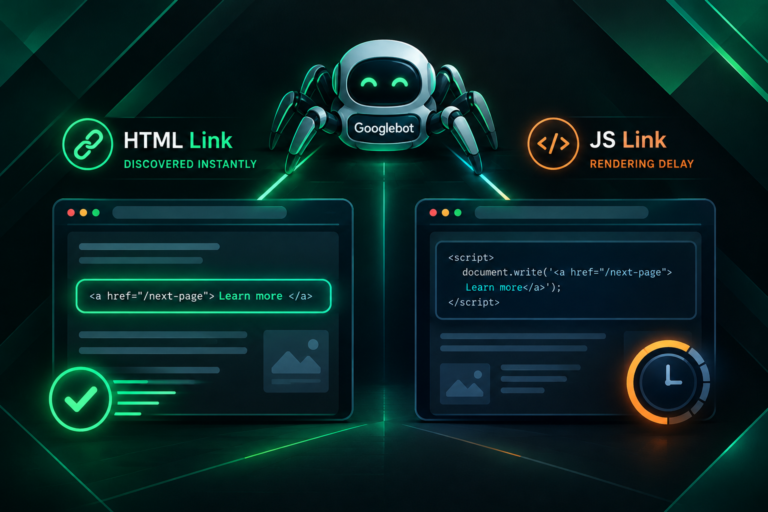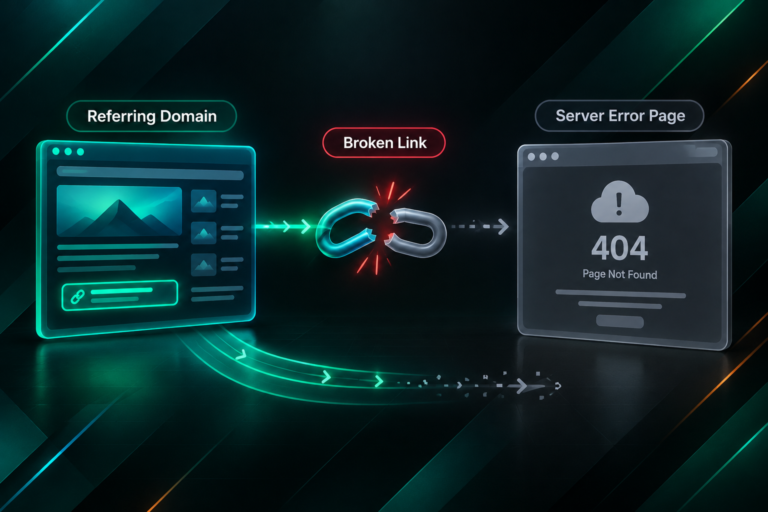

When you invest in link building, the assumption is that search engine crawlers will follow those links, discover your target pages, and eventually reflect that discovery in improved indexing and rankings. Server log analysis lets you test that assumption directly. Rather than relying on third-party tools or indirect signals, raw server logs show you exactly which pages Googlebot and other crawlers visited, when they visited, and how they arrived. For SEO teams managing link acquisition campaigns, this data can reveal whether newly acquired backlinks are actually driving crawler activity to the pages they point to.
Key Takeaways
- Server logs record every HTTP request made to your website, including requests from search engine crawlers, making them the most direct source of crawl data available.
- Comparing crawler visits to pages that have recently received backlinks can help you assess whether those links are contributing to discovery and re-crawl frequency.
- Gaps between link acquisition and crawler discovery may indicate indexing delays, low-quality link sources, or technical issues unrelated to the links themselves.
- Server log analysis works best alongside Google Search Console coverage data and crawl reports from tools such as Screaming Frog or Sitebug.
- Discovery in logs does not guarantee ranking improvement; crawling, indexing, and ranking are separate stages with different influencing factors.
What Server Logs Actually Record
A server log is a plain-text file generated automatically by your web server — Apache, Nginx, or a cloud equivalent — each time a request is made to your site. Every entry typically includes the requesting IP address, the date and time of the request, the HTTP method used, the URL requested, the HTTP status code returned, the size of the response, the referring URL if one was passed, and the user agent string identifying the client making the request. For SEO purposes, the user agent string is particularly important because it identifies whether the request came from Googlebot, Bingbot, a legitimate SEO crawler, or a human browser.
Search engine crawlers identify themselves through documented user agent strings. Google’s primary desktop crawler uses the user agent Googlebot, while its mobile crawler uses Googlebot-Smartphone. Google also operates specialised crawlers for images, video, and other content types. Because these strings are publicly documented, you can filter your log data to isolate crawler requests from ordinary user traffic. This filtered view is the foundation of server log analysis for SEO: it shows you the crawl behaviour of search engines independently of what any third-party tool estimates or reports.
One important caveat is that user agent strings can be spoofed. A malicious bot can declare itself to be Googlebot without actually being Google’s crawler. For accurate analysis, cross-reference the IP addresses of requests claiming to be Googlebot against Google’s published IP ranges, or use reverse DNS lookup to confirm that the request originated from googlebot.com domains. Most dedicated log analysis tools handle this verification automatically.
Why Linked Page Discovery Matters for Link Building Campaigns
The purpose of acquiring backlinks extends beyond the theoretical authority signal a link may pass. A backlink on an indexed, crawled external page gives Googlebot a path to follow to your target URL. If Googlebot follows that path, it discovers or re-discovers your page, which is a prerequisite for any ranking or indexing benefit the link might contribute. If Googlebot never follows the link — because the linking page itself is rarely crawled, because the link carries a nofollow attribute, or because the linking domain is of low quality — the practical crawl benefit of that link may be limited regardless of what third-party metrics suggest about the linking domain.
Server log analysis allows you to move from assumption to observation. After a new backlink goes live on an external page, you can monitor your logs to see whether Googlebot subsequently visits your target page and whether the referrer recorded in the log entry matches the linking domain. This is not a perfect signal — crawlers do not always pass referrer data, and the timing of crawl events is not entirely predictable — but it provides a more direct form of evidence than domain rating scores or estimated traffic figures from SEO tools.
For link building campaigns targeting pages that are already indexed but ranking poorly, server log data can also reveal whether those pages are being crawled at a frequency consistent with their content freshness and competitive importance. A page that receives new backlinks but shows no increase in Googlebot visit frequency over the following weeks may warrant further investigation into whether the linking sources are being crawled themselves, or whether there are technical barriers preventing effective crawl budget allocation to that URL.
How to Access and Prepare Your Server Logs
The method for accessing server logs depends on your hosting environment. On shared hosting plans, logs are often available through the hosting control panel, typically under a section labelled Raw Access Logs or similar. On VPS and dedicated servers running Apache or Nginx, log files are usually stored in /var/log/apache2/ or /var/log/nginx/ respectively, though the exact path varies by configuration. Cloud hosting platforms such as AWS, Google Cloud, and Azure provide log access through their respective storage and monitoring services, often requiring log export to a storage bucket before analysis.
Raw log files for active websites can be very large — sometimes several gigabytes per day — which makes direct text-file analysis impractical for most teams. The most common approaches to making log data manageable include:

- Dedicated log analysis tools: Platforms such as Screaming Frog Log File Analyser, Botify, Lumar (formerly DeepCrawl), and JetOctopus are designed specifically for SEO log analysis. They import log files, filter by user agent, and present crawler activity in a structured, queryable format.
- General-purpose analytics platforms: Tools such as Splunk, ELK Stack (Elasticsearch, Logstash, Kibana), and Google BigQuery can process large log files and allow custom queries, though they require more technical setup.
- Spreadsheet filtering: For smaller sites or shorter time windows, exporting a filtered subset of log data to a CSV and analysing it in Excel or Google Sheets is feasible, though time-consuming at scale.
Before beginning analysis, confirm that your log format is consistent and that the fields you need — particularly user agent, URL, status code, timestamp, and referrer — are being captured. Some hosting configurations omit the referrer field by default, which limits your ability to attribute crawler visits to specific linking sources.
Filtering Logs to Isolate Search Engine Crawler Activity
Once you have access to your log data, the first analytical step is filtering to retain only requests from legitimate search engine crawlers. For Google discovery analysis, filter for entries where the user agent string contains Googlebot and where the IP address resolves to a googlebot.com domain. Apply the same logic for Bingbot if Bing indexing is relevant to your campaign goals.
After filtering, you should also exclude requests that returned error status codes unrelated to your analysis, such as 404 responses for deleted pages or 301 redirects that are working as intended. Focus your initial analysis on 200 OK responses to your target URLs, as these confirm that the crawler successfully retrieved the page content. A high proportion of 404 or 500 responses for a target URL in the crawler log is itself a finding worth investigating, as it may indicate that the page is intermittently unavailable to crawlers even if it appears functional to human visitors.
Group the filtered entries by URL and sort by timestamp. This produces a crawl history for each page on your site, showing when Googlebot visited each URL and how frequently. For pages that have recently received new backlinks, note the date the link went live and look for changes in crawl frequency in the weeks following that date.
Correlating Backlink Acquisition with Crawler Visit Patterns
The practical workflow for using server logs to assess linked page discovery involves three data sources: your log analysis output, your backlink acquisition records, and your Google Search Console data. Combining these sources gives you a more complete picture than any single source alone.
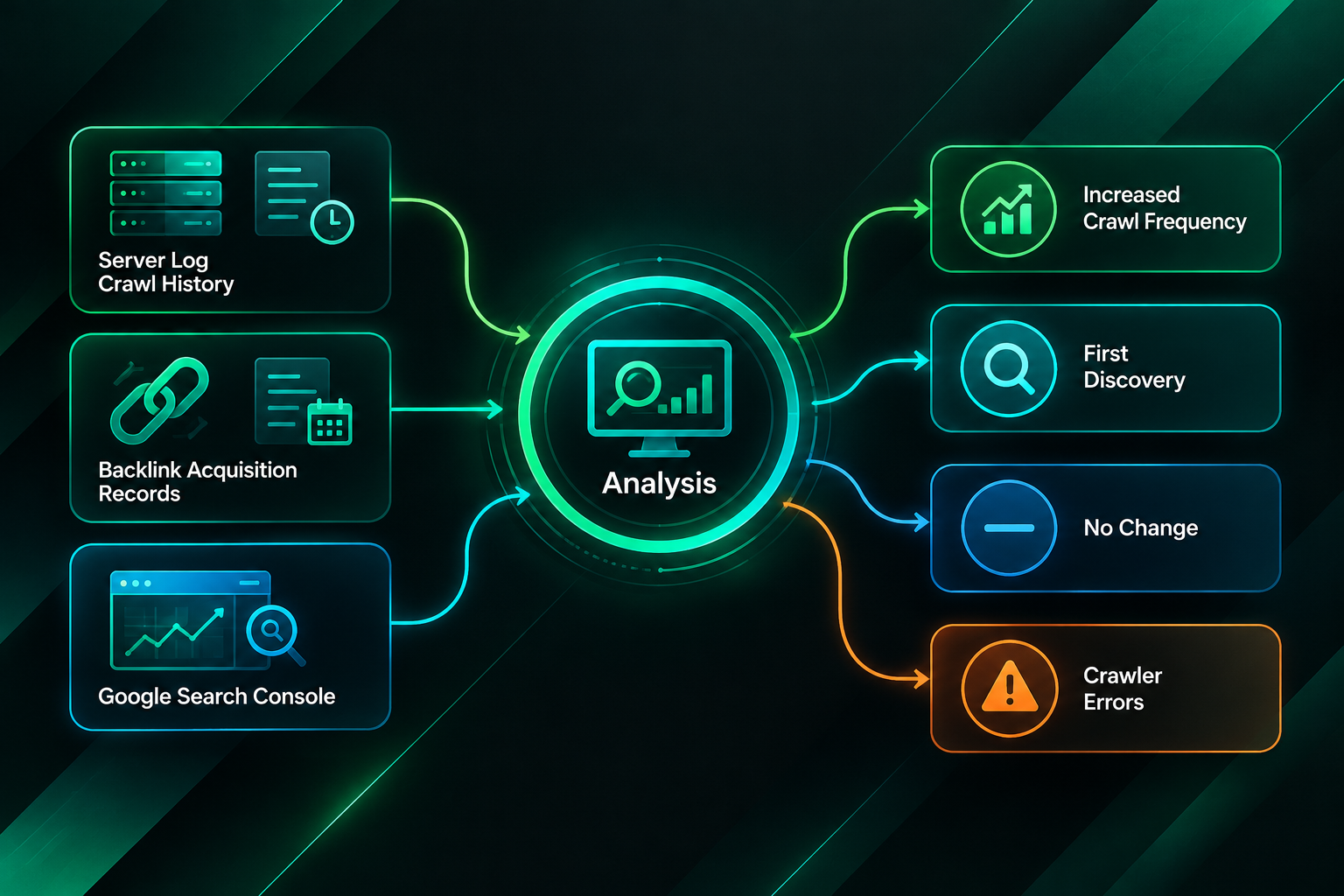
Start by listing the target URLs that received new backlinks during your campaign, along with the approximate dates those links went live. For each URL, extract its crawl history from your log analysis tool, covering a period of at least four to eight weeks before and after the link acquisition date. Look for the following patterns:
- Increased crawl frequency after link acquisition: If Googlebot was visiting a page once every two weeks before a new backlink was acquired, and begins visiting it every few days afterwards, this is consistent with the link contributing to improved crawl attention. It does not prove causation — other factors such as internal linking changes or sitemap updates could also explain the change — but it is a positive signal worth noting.
- First-time discovery of a previously uncrawled page: If a target page had no Googlebot visits in your log history before the link went live, and then receives its first crawler visit within a few weeks of the link appearing, the link may have provided the discovery path. Check whether the referrer field in the log entry matches the linking domain to strengthen this inference.
- No change in crawl frequency despite new links: If crawl frequency remains unchanged after multiple new backlinks are acquired, this warrants investigation. Possible explanations include the linking pages themselves being infrequently crawled, the links carrying nofollow or other restrictive attributes, the target page having technical issues that limit crawl efficiency, or the linking domains being of sufficiently low quality that Googlebot does not prioritise following their outbound links.
- Crawler errors on target pages: If your logs show Googlebot attempting to visit a target URL but receiving 5xx server errors or connection timeouts, the page may be failing to serve content reliably to crawlers even when it appears accessible to users. This is a technical issue that should be resolved before attributing poor discovery to link quality.
Using Google Search Console Alongside Log Data
Google Search Console provides crawl statistics and URL inspection data that complement server log analysis. The Crawl Stats report in Search Console shows the number of pages Googlebot crawled per day across your entire site, along with response time and response code breakdowns. This site-level view is useful for identifying sudden changes in overall crawl activity, but it does not provide URL-level granularity for specific target pages.
The URL Inspection tool in Search Console allows you to check the last crawl date for a specific URL, the crawl status, and whether the page is indexed. If your server logs show Googlebot visiting a target page but the URL Inspection tool reports that the page is not indexed, the issue is likely at the indexing stage rather than the discovery stage. Common reasons for a crawled but unindexed page include thin or duplicate content, a noindex directive, a canonical tag pointing to a different URL, or a manual action affecting the page or domain.
Cross-referencing log data with Search Console coverage reports can help you distinguish between three distinct problems: pages that are not being discovered at all, pages that are being crawled but not indexed, and pages that are indexed but not ranking competitively. Each of these problems has different causes and different solutions, and conflating them leads to misdiagnosed campaigns. Link building may help with the first problem in some cases, but it is unlikely to resolve the second or third without addressing the underlying content or technical issues.
Interpreting Referrer Data in Crawler Log Entries
When Googlebot follows a link from an external page to your site, it may or may not pass a referrer header in the HTTP request. When referrer data is present in your log entries, it provides a direct connection between a specific linking source and a crawler visit to your target page. This is the closest thing to direct evidence that a particular backlink contributed to a specific crawl event.
In practice, referrer data in crawler log entries is inconsistent. Googlebot does not always pass referrer information, and some server configurations strip referrer headers before they reach the log. The absence of referrer data in a log entry does not mean the crawler arrived without following a link; it may simply mean the referrer was not recorded. Treat referrer data as confirmatory evidence when it is present, but do not treat its absence as evidence that a link had no effect on crawl behaviour.
When referrer data is available and matches a known linking domain, you can build a more granular picture of which external sources are actively driving crawler visits to your pages. If a high-authority linking domain consistently appears as a referrer in Googlebot log entries for your target pages, this suggests that the linking page is being crawled regularly and that Googlebot is following its outbound links. Conversely, if links from certain domains never appear as referrers despite being live for several months, those linking pages may themselves have crawl or indexing issues that limit their ability to pass discovery signals.
Limitations of Server Log Analysis for Link Building Assessment
Server log analysis is a valuable diagnostic tool, but it has meaningful limitations that are worth understanding before drawing conclusions from the data.
Crawling is not indexing, and indexing is not ranking. A Googlebot visit to a target page confirms that the crawler retrieved the page, but it does not confirm that the page was added to or retained in Google’s index, nor does it confirm that any ranking change occurred. The relationship between crawl frequency, indexing, and ranking involves many factors beyond backlink acquisition, including content quality, search intent alignment, page experience signals, and competitive landscape.
Attribution is imprecise. Even when a crawler visit follows a new backlink acquisition, you cannot definitively attribute the visit to that specific link. Googlebot may have visited the page because of an internal linking change, a sitemap update, a mention in another indexed document, or simply as part of its regular crawl schedule. Log data shows correlation in timing, not causation.
Log data volume and retention vary. Many hosting environments rotate or delete log files after a short period, sometimes as little as seven days. If you are not actively archiving logs, you may lose the historical data needed to establish a meaningful before-and-after comparison. Setting up log archiving before a link building campaign begins is advisable if you intend to use this analysis method.
Technical setup requirements. Meaningful log analysis requires either a dedicated SEO log analysis tool or sufficient technical capability to process and query large files. For smaller teams without this infrastructure, the investment in setup may outweigh the diagnostic benefit for routine campaigns, making Google Search Console crawl data a more practical starting point.
Nofollow and other link attributes. Links carrying the nofollow, ugc, or sponsored rel attributes may still be followed by Googlebot in practice — Google has stated that it treats these as hints rather than directives — but their contribution to crawl behaviour is less predictable than followed links. Log analysis cannot directly reveal the rel attributes of the links that drove crawler visits; you need to cross-reference with your backlink data for that information.
Practical Steps for Setting Up Ongoing Log Monitoring
For teams running active link building campaigns, establishing a repeatable log monitoring process is more useful than one-off analysis. A practical ongoing setup might include the following steps:
- Configure log archiving: Ensure your server or hosting environment is retaining logs for at least 90 days, or exporting them to a storage solution where they can be queried retrospectively. This gives you sufficient historical depth for before-and-after comparisons.
- Set up a log analysis tool: Import logs into a dedicated SEO log analysis platform or a general-purpose analytics tool configured for this purpose. Establish saved filters for Googlebot and Bingbot user agents with IP verification.
- Create a target URL tracking list: Maintain a list of the specific URLs targeted by your link building campaign, updated as new target pages are added. Use this list to filter your log analysis output to the pages most relevant to your campaign goals.
- Record link acquisition dates: Keep a record of when each new backlink went live, including the linking URL and the target URL. This timeline is essential for correlating log data with campaign activity.
- Review crawl frequency monthly: At least once per month, review the crawl history for each target URL and note any changes in visit frequency relative to your link acquisition timeline. Flag URLs with no crawler visits or with a high proportion of error responses for further investigation.
- Cross-reference with Search Console: Compare your log-based crawl frequency data with Search Console’s crawl stats and URL inspection data to identify discrepancies that may indicate indexing issues beyond the crawl stage.
When Log Analysis Points to Problems Beyond Link Quality
Server log analysis sometimes reveals that poor linked page discovery is not primarily a link quality problem. If your logs show that Googlebot is visiting your target pages regularly but those pages remain unindexed or rank poorly, the issue is likely in the content, technical configuration, or competitive environment rather than in the backlink profile. Common findings that point away from link quality as the primary cause include:
- Target pages returning inconsistent HTTP status codes to crawlers, suggesting server instability or misconfigured redirects.
- Pages with noindex directives that were applied during development and never removed before the link building campaign began.
- Canonical tags pointing target pages to a different URL, causing the link equity and crawl attention to be attributed to the canonical destination rather than the intended target.
- Pages with very thin content or content that closely duplicates other pages on the same domain, which may cause Googlebot to crawl but deprioritise indexing.
- Target pages that are blocked in the robots.txt file, preventing Googlebot from crawling them even when it follows a link to the URL.
Identifying these issues through log analysis before or during a link building campaign can prevent wasted investment. A page that cannot be crawled or indexed effectively will not benefit from additional backlinks until the underlying technical issue is resolved. This is one reason why a technical SEO review of target pages is a sensible step before committing to a link acquisition campaign.
Frequently Asked Questions
How long after a backlink goes live should I expect to see Googlebot visit my target page?
There is no fixed timeline. Googlebot’s crawl schedule depends on the crawl frequency of the linking page, the overall crawl budget allocated to your domain, and the perceived importance of your target page. In practice, discovery via a new backlink can occur within days if the linking page is crawled frequently, or may take several weeks if the linking page itself is crawled infrequently. If no crawler visit appears within four to six weeks of a link going live on an actively indexed page, it is worth investigating whether the linking page is being crawled at all.
Can server logs tell me whether a backlink is passing PageRank or link equity?
No. Server logs record HTTP requests and responses, not the internal signals Google uses when processing a crawled page. Whether a link passes PageRank, how much it passes, and how Google weights it in its ranking algorithms are not observable through log data. Log analysis can tell you that Googlebot visited your page, but it cannot tell you what Google concluded about the page’s authority or relevance as a result of that visit.
What should I do if my logs show Googlebot is not visiting pages that have received new backlinks?
First, verify that the linking pages themselves are indexed and being crawled by checking them in Google Search Console’s URL Inspection tool or by searching for them using the site: operator. If the linking pages are not indexed, the links on them are unlikely to drive crawler visits to your target pages. Second, check whether your target pages have any technical barriers such as robots.txt blocks, noindex directives, or server errors. Third, review the rel attributes on the links to confirm they are followed links rather than nofollow placements. If all of these check out and crawler visits are still absent after several weeks, the linking domain’s crawl frequency may simply be low.
Is server log analysis only useful for large websites?
Log analysis is useful for websites of any size, but the practical benefit scales with the complexity of the site and the volume of link building activity. For a small site with a handful of target pages and a modest link acquisition campaign, Google Search Console’s URL Inspection tool and crawl stats may provide sufficient crawl visibility without the overhead of full log analysis. For larger sites with many target pages, complex internal linking, and active link building campaigns, dedicated log analysis provides a level of URL-level granularity that Search Console alone cannot match.
Do I need to analyse logs if I use Google Search Console?
Google Search Console provides useful crawl data, but it has limitations. The Crawl Stats report shows site-level aggregates rather than URL-level detail, and the URL Inspection tool only shows the most recent crawl date for a single URL at a time. Server logs give you a complete, URL-level crawl history across your entire site for any time period you have retained. For campaigns where understanding the crawl behaviour of specific target pages over time is important, log analysis provides data that Search Console cannot replicate.
Can I use log analysis to evaluate the quality of links acquired through an outsourced campaign?
Log analysis can provide one useful quality signal: whether links from a given domain are associated with subsequent Googlebot visits to your target pages. Links from domains that are actively crawled and indexed tend to be more likely to drive crawler activity than links from domains with poor crawl coverage. However, log data alone is not a complete quality assessment. Topical relevance, editorial context, link placement, anchor text, and the overall authority of the linking domain are all relevant quality factors that require additional data sources to evaluate properly.
What Server Log Analysis Can and Cannot Tell You About Your Link Building Campaign
Server log analysis is one of the most direct diagnostic tools available for understanding how search engine crawlers interact with your website. For teams running link building campaigns, it provides observable evidence of whether newly acquired backlinks are associated with crawler discovery of target pages — evidence that third-party metrics and rank tracking tools cannot supply on their own. Used alongside Google Search Console coverage data and a clear record of link acquisition timelines, log analysis can help you identify whether discovery problems are rooted in link quality, technical configuration, content issues, or simply the natural latency of crawler scheduling.
What log analysis cannot do is confirm that a backlink caused a ranking change, measure the authority signal a link passed, or substitute for a full technical SEO audit of your target pages. Discovery is the first step in a longer process that includes indexing, relevance assessment, and competitive ranking — each of which involves factors beyond the backlink profile. If your log data consistently shows that target pages are being crawled but not indexed, or indexed but not ranking, the appropriate next step is a content and technical review rather than additional link acquisition.
For businesses and agencies managing link building campaigns, integrating server log monitoring into the campaign workflow — alongside backlink tracking, Search Console reporting, and rank monitoring — provides a more complete picture of campaign performance than any single data source. If you are planning a link acquisition campaign and want to ensure your target pages are technically ready to benefit from new backlinks, discussing a pre-campaign technical review with a qualified SEO provider is a reasonable starting point.