
Internal links are among the most controllable SEO signals on any website, yet they are frequently overlooked until something goes wrong. A structured internal link audit helps you understand how link equity flows across your site, whether important pages are receiving adequate internal support, and where crawling or indexing problems may be hiding. This guide explains how to conduct an internal link audit methodically, what issues to prioritise, and how internal linking connects to broader SEO and link building strategy.
Key Takeaways
- An internal link audit examines how pages on your own website link to one another, identifying gaps, broken links, orphaned pages, and poor link equity distribution.
- Internal linking directly influences how search engine crawlers discover and prioritise pages, and how PageRank-like signals are distributed across a site.
- Common audit findings include orphaned pages, over-optimised anchor text, shallow link depth for important pages, and broken or redirected internal links.
- Fixing internal linking issues is often faster and lower-cost than acquiring new backlinks, making it a practical first step before or alongside external link building campaigns.
- The right tools, a clear crawl baseline, and a prioritised fix list make an internal link audit actionable rather than overwhelming.
What Is an Internal Link Audit?
An internal link audit is a systematic review of the hyperlinks that connect pages within the same website. Unlike external backlinks, which come from other domains, internal links are entirely within your control. The audit examines which pages link to which, how many internal links each page receives, what anchor text is used, whether any links are broken or redirect unnecessarily, and whether the overall structure supports your SEO and content goals.
The purpose is not simply to count links. A well-conducted audit reveals whether your most commercially important pages — product pages, service pages, pillar content, or landing pages — are receiving enough internal link support to be discovered and ranked effectively. It also identifies structural problems such as pages that exist in isolation, pages buried too deep in the site hierarchy, and link patterns that may confuse crawlers or dilute the relevance signals you want to send.
Internal link audits are relevant for websites of all sizes, though the complexity and tooling requirements increase significantly for larger sites with thousands of pages. For smaller sites, a manual review combined with a basic crawl tool may be sufficient. For enterprise or e-commerce sites, a more systematic approach using dedicated SEO crawlers is usually necessary.
Why Internal Linking Matters for SEO
Search engines use internal links to discover new pages and to understand the relative importance of content within a site. When a page receives many internal links from authoritative, well-indexed pages, it signals to crawlers that the destination page is significant. This is sometimes described as the flow of internal PageRank or link equity — a concept Google has discussed publicly in its documentation and through statements from its search representatives over many years.
Internal links also carry contextual signals through their anchor text. When a page about project management software consistently receives internal links with relevant descriptive anchor text, search engines can better understand what that page covers and which queries it should be considered for. Conversely, generic anchor text such as “click here” or “read more” provides little contextual value.
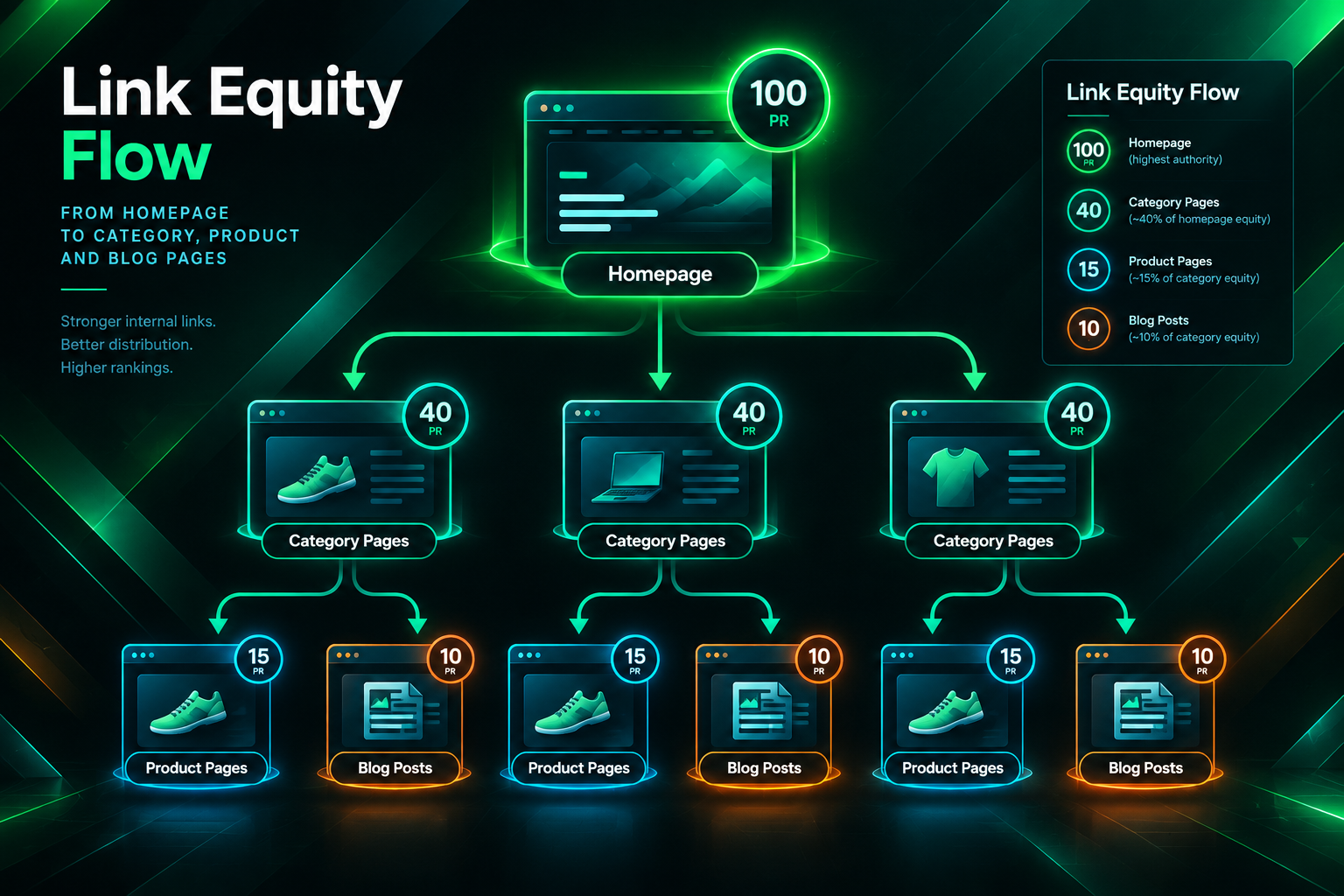
Beyond crawling and equity distribution, internal links affect user experience. A visitor who lands on a blog post and finds no links to related service pages or deeper content is less likely to explore the site further. This has indirect implications for engagement metrics, though the precise relationship between user behaviour signals and rankings remains a subject of ongoing discussion in the SEO community rather than a confirmed ranking factor.
One practical implication worth noting: if you are planning or running an external link building campaign, the pages you are building links to should also be well-supported internally. External links pointing to a page that is poorly connected to the rest of your site may have less impact than links pointing to a page that is deeply integrated into your internal structure. Addressing internal linking before or alongside external link acquisition can improve the overall effectiveness of both efforts.
Preparing for an Internal Link Audit
Before running any tools, clarify what you want to learn from the audit. The most useful audits are goal-driven rather than purely technical. Consider which pages are most important to your business — these might be high-converting service pages, category pages, or content that supports your sales funnel. These priority pages should receive particular attention during the audit, both in terms of how many internal links they receive and from which pages those links come.
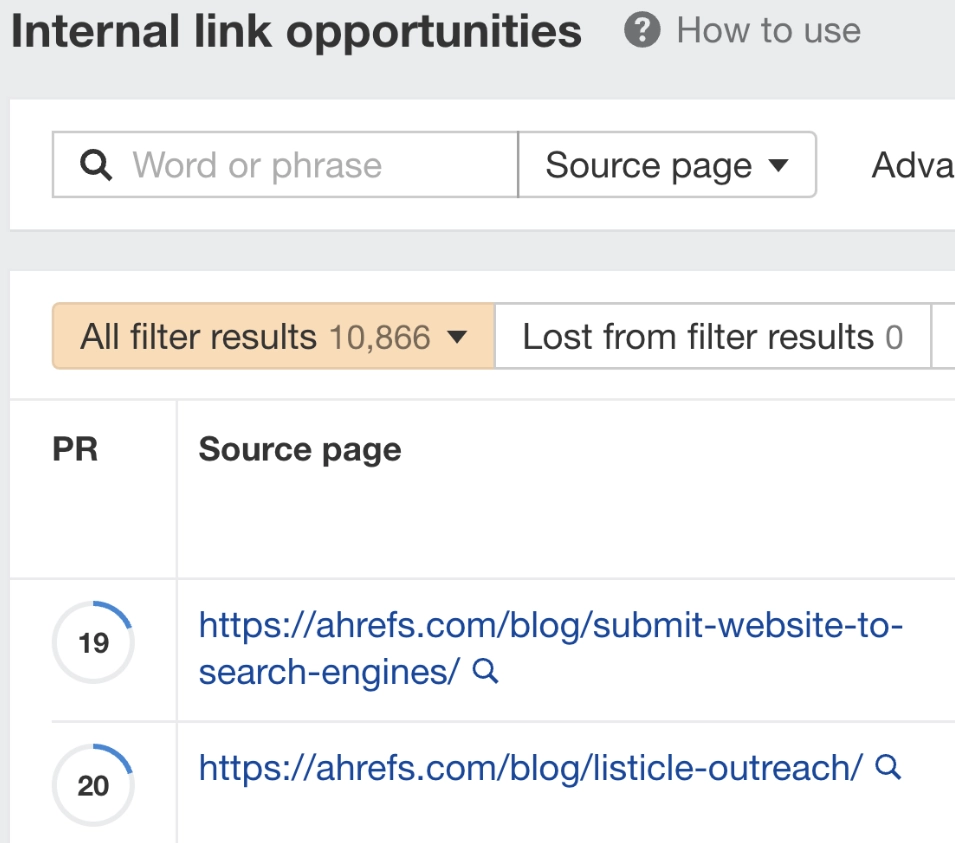
You will also need access to a site crawl tool. Widely used options include Screaming Frog SEO Spider, Ahrefs Site Audit, Semrush Site Audit, and Sitebulb. Google Search Console provides complementary data on which pages Google has indexed and which it has not, and can surface crawl anomalies that a third-party tool might not catch. Using at least two data sources — a crawl tool and Google Search Console — gives a more complete picture than relying on either alone.
Set a crawl baseline before making any changes. Export your crawl data, save it, and date it. This allows you to measure the impact of any fixes you implement and to demonstrate progress over time. Without a baseline, it is difficult to know whether your changes had any measurable effect.
Step-by-Step: How to Audit Internal Links
Step 1: Crawl Your Website
Run a full crawl of your website using your chosen tool. Configure the crawl to follow internal links, respect your robots.txt file, and capture all response codes. For most tools, the default settings will capture the data you need, but check that the crawl is not inadvertently blocked by JavaScript rendering issues or login walls if your site has members-only content.
Once the crawl is complete, export the full list of URLs along with their response codes, inlink counts (the number of internal links pointing to each page), and outlink counts (the number of internal links leaving each page). This data forms the foundation of your audit.
Step 2: Identify Orphaned Pages
Orphaned pages are pages that exist on your website but receive no internal links from other pages. Search engine crawlers typically discover pages by following links, so an orphaned page may not be crawled or indexed reliably even if it appears in your sitemap. Orphaned pages are one of the most common and impactful findings in an internal link audit.
To find orphaned pages, compare your crawl data against your XML sitemap. Pages that appear in the sitemap but receive zero inlinks in the crawl are candidates for investigation. Some may be intentionally isolated — for example, standalone landing pages used for paid campaigns — but many will be pages that have simply been forgotten or disconnected during site updates or migrations.
Step 3: Find Broken and Redirected Internal Links
Broken internal links — those returning a 404 or other error response — waste crawl budget and create a poor user experience. Redirected internal links, particularly chains of multiple redirects, slow down crawling and may dilute the link equity that passes through them. Both types should be identified and corrected.
Your crawl tool will flag URLs returning non-200 response codes. Filter for internal links pointing to 4xx errors and 3xx redirects. For redirects, update the internal link to point directly to the final destination URL rather than relying on the redirect chain. For broken links, either restore the destination page, update the link to a relevant live page, or remove the link if no suitable destination exists.
Step 4: Assess Link Depth for Priority Pages
Link depth refers to the number of clicks required to reach a page from the homepage. Pages that are many clicks deep are harder for crawlers to discover and are generally considered less important by search engines. As a rough guide, pages that are commercially important or that you want to rank well should ideally be reachable within three to four clicks from the homepage, though this threshold varies depending on site size and structure.
Use your crawl tool to identify the click depth of your priority pages. If a key service page or product category is buried six or seven clicks deep, consider adding internal links from higher-level pages — such as the homepage, main navigation, or high-traffic blog posts — to reduce its effective depth.
Step 5: Review Anchor Text Distribution
Anchor text is the visible, clickable text of a hyperlink. For internal links, descriptive and relevant anchor text helps search engines understand the topic of the destination page. Review the anchor text used for your most important pages. If the majority of internal links to a page use generic phrases or the page URL rather than descriptive text, consider updating them to include relevant keywords naturally.
At the same time, avoid over-optimisation. Using the same exact-match keyword phrase as anchor text for every internal link to a page can appear unnatural and may not reflect how users actually navigate your site. Vary anchor text naturally while keeping it descriptive and relevant. This mirrors good practice in external link building, where anchor text diversity is generally considered healthier than a uniform exact-match profile.
Step 6: Check for Pages with Too Many Outgoing Internal Links
Pages with an excessive number of outgoing internal links may dilute the equity passed to each destination. While Google has not published a hard limit on the number of links per page, crawlers may not follow every link on a page with hundreds of outgoing links, and the practical value of each individual link decreases as the total number increases. Review pages with unusually high outlink counts and consider whether all those links are genuinely useful to visitors or whether some could be removed or consolidated.
Step 7: Evaluate Internal Link Coverage for Key Content Clusters
If your site uses a topic cluster or pillar-and-spoke content model, check that your pillar pages link to relevant cluster pages and that cluster pages link back to the pillar. Gaps in this structure can undermine the topical authority signals you are trying to build. Map out your intended content clusters and compare them against the actual internal link relationships revealed by your crawl. Missing links between related content represent straightforward opportunities to strengthen your site’s topical coherence.
Common Internal Link Issues and Their SEO Implications
The table below summarises the most frequently encountered internal link problems, their likely SEO impact, and the recommended fix.
| Issue | Likely SEO Impact | Recommended Action |
|---|---|---|
| Orphaned pages | Poor crawlability and indexing reliability | Add internal links from relevant pages |
| Broken internal links (404) | Wasted crawl budget, poor user experience | Update or remove the link |
| Redirect chains | Crawl inefficiency, potential equity loss | Update links to point to final destination |
| Excessive click depth | Reduced crawl priority for deep pages | Add links from higher-level pages |
| Generic anchor text | Weak contextual signals for destination pages | Use descriptive, relevant anchor text |
| Over-optimised anchor text | Unnatural link profile, potential over-optimisation risk | Diversify anchor text naturally |
| Too many outgoing links per page | Diluted equity per link, possible crawl issues | Reduce or consolidate where practical |
| Missing cluster links | Weak topical authority signals | Build out pillar-to-cluster and cluster-to-pillar links |
Tools Commonly Used for Internal Link Audits
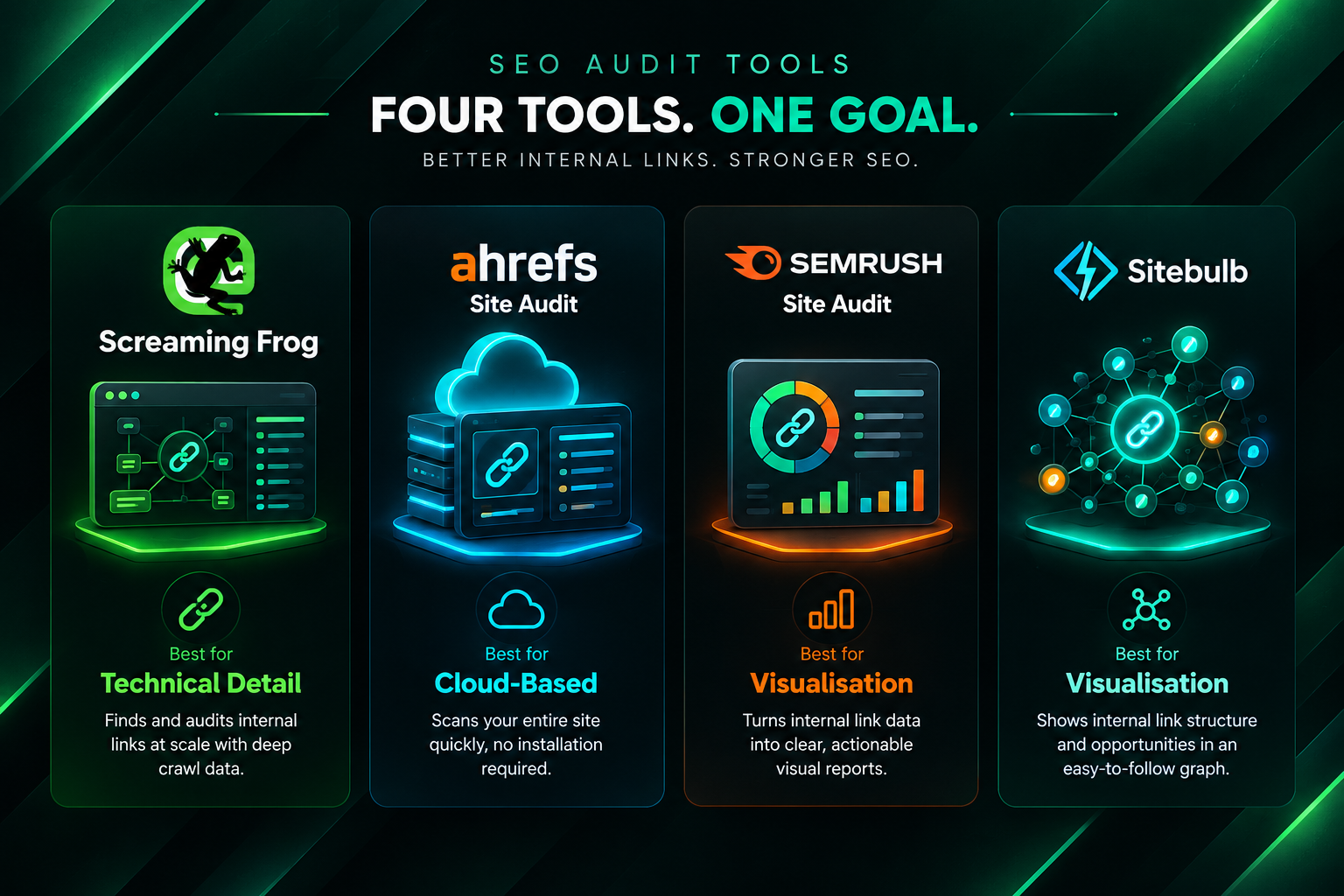
Several tools are widely used for internal link auditing, each with different strengths. Screaming Frog SEO Spider is a desktop crawler that provides detailed link-level data and is well-suited for technical audits of small to medium-sized sites. Its free version supports crawls of up to 500 URLs; larger sites require a paid licence. Ahrefs Site Audit and Semrush Site Audit are cloud-based platforms that crawl your site on a schedule and present findings in dashboards, making them practical for ongoing monitoring rather than one-off audits. Sitebulb offers strong visualisation of site structure, which can be helpful when explaining internal link architecture to clients or stakeholders.
Google Search Console should be used alongside any third-party tool. The Coverage report shows which pages Google has indexed and which it has not, and the Links report shows which pages receive the most internal links according to Google’s own crawl data. Discrepancies between your crawl tool’s findings and Google Search Console data can indicate JavaScript rendering issues, crawl budget constraints, or pages that are blocked by directives you may not have intended to apply.
No single tool captures everything. A combination of a dedicated crawler for technical detail and Google Search Console for search-engine perspective gives the most reliable audit foundation.
Prioritising Fixes After an Internal Link Audit
A thorough audit of a medium or large site will typically surface more issues than can be addressed immediately. Prioritisation is essential. A practical approach is to rank fixes by the combination of potential SEO impact and implementation effort.
Broken internal links and orphaned priority pages should generally be addressed first, as these represent clear technical problems with direct crawlability implications. Redirect chains on important pages are also worth fixing early. Anchor text improvements and content cluster link-building can follow, as these tend to require more editorial judgement and time. Pages with excessive click depth may require structural changes — such as adding links from the homepage or main navigation — which may need developer involvement and should be planned accordingly.
Document every change you make and the date it was implemented. Re-crawl the site after a reasonable interval — typically four to eight weeks — to verify that fixes have been applied correctly and to check whether any new issues have appeared. Internal link audits are not a one-time exercise; they are most valuable when conducted regularly, particularly after significant site changes such as migrations, redesigns, or large content additions.
Internal Linking and External Link Building: How They Connect
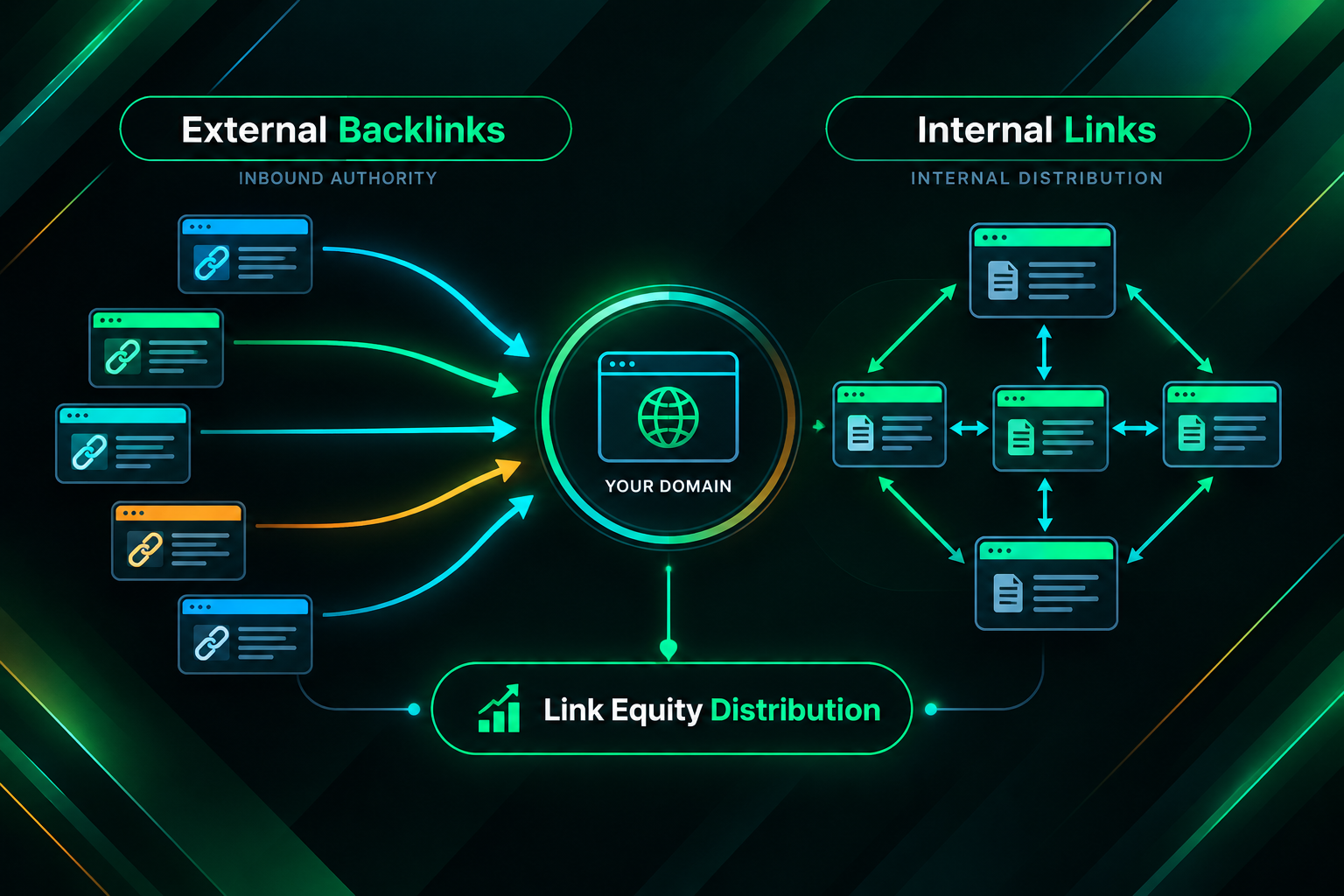
Internal and external link building are complementary rather than competing activities. External backlinks from other websites bring authority and referral signals into your domain. Internal links then distribute those signals across your site to the pages that need them most. If a high-authority external link points to a blog post but your most important commercial page has no internal link from that post, some of the potential benefit of that external link may not reach the page you most want to rank.
Before investing in an external link building campaign — whether through manual outreach, guest posting, digital PR, or another method — it is worth confirming that your internal link structure is sound. Pages you intend to build external links to should be well-connected internally, free of technical issues, and supported by relevant anchor text from related content. This does not mean internal linking must be perfect before any external link acquisition begins, but significant structural problems — such as target pages being orphaned or buried — are worth addressing first.
Conversely, if you have already acquired external links to certain pages, an internal link audit can help you identify whether those pages are effectively passing equity to other parts of your site. Adding internal links from well-linked pages to related pages that need more support is a practical way to extend the value of your existing external link profile without acquiring additional backlinks.
Limitations of Internal Link Audits
An internal link audit identifies structural and technical issues, but it cannot by itself explain why a page is not ranking or not converting. Low organic visibility may have multiple causes, including weak or outdated content, a mismatch between the page’s content and the search intent of target queries, strong competition, insufficient external authority, technical indexing problems unrelated to internal linking, or a combination of these factors. Fixing internal links may improve crawlability and equity distribution, but it is unlikely to resolve ranking problems caused primarily by content quality or competitive gaps.
Audit tools also have limitations. JavaScript-heavy sites may not be fully crawled by standard desktop crawlers without additional configuration. Personalised or session-dependent content may not be visible to crawlers at all. Very large sites may require sampling strategies rather than full crawls, which introduces the possibility of missing issues in uncrawled sections. These limitations do not make audits less valuable, but they do mean that audit findings should be interpreted with an understanding of what the tool can and cannot see.
Frequently Asked Questions
How often should I audit internal links?
For most websites, a thorough internal link audit once or twice per year is a reasonable baseline. Sites that publish content frequently, undergo regular structural changes, or have experienced migrations or redesigns may benefit from more frequent reviews. Automated crawl monitoring through tools such as Ahrefs Site Audit or Semrush Site Audit can flag new issues between full audits.
How many internal links should a page have?
There is no universally correct number. The appropriate number of internal links on a page depends on the page’s purpose, length, and position in the site hierarchy. Navigation pages and hub pages naturally carry more links than individual blog posts. The more useful question is whether each link serves a genuine purpose for the visitor and whether the total number is reasonable given the page’s content. Avoid adding internal links purely for SEO purposes if they do not make sense in context.
Does fixing internal links improve rankings?
Fixing internal link issues — particularly orphaned pages, broken links, and poor link depth for important pages — may improve crawlability and the distribution of link equity, which can contribute to better rankings over time. However, the impact varies depending on the site, the severity of the issues, and other ranking factors. Internal link improvements are rarely the sole cause of a ranking change, and results are not guaranteed.
What is the difference between internal links and backlinks?
Internal links connect pages within the same website and are entirely within the site owner’s control. Backlinks, also called external links or inbound links, come from other websites and are acquired through outreach, content marketing, digital PR, or other link building methods. Both types of links influence how search engines crawl and evaluate pages, but they operate differently and serve complementary roles in an SEO strategy.
Should I nofollow any internal links?
Using the nofollow attribute on internal links is generally not recommended as a routine practice. Nofollowing internal links does not reliably prevent equity from flowing to those pages in the way it once did, and it can create confusion in your link structure. There may be specific cases — such as login pages or certain utility pages — where nofollowing makes sense, but blanket nofollowing of internal links is not a widely supported best practice in current SEO guidance.
Can internal linking replace external link building?
Internal linking and external link building address different aspects of SEO. Internal links help distribute authority that already exists within your site and improve crawlability. External backlinks bring new authority signals from other domains. For most competitive queries, both are relevant. Optimising internal links is often a faster and lower-cost action, but it is unlikely to substitute for external link acquisition in competitive markets where other sites have strong backlink profiles.
Making Internal Link Audits Part of Your Ongoing SEO Practice
An internal link audit is most valuable when it is treated as a recurring process rather than a one-time project. Websites change continuously — new pages are added, old pages are removed, content is restructured, and site migrations introduce new link patterns. Each of these changes can create internal link problems that accumulate quietly until they affect crawlability or ranking performance.
Building a regular audit cadence into your SEO workflow — supported by automated monitoring between full audits — helps catch issues early and keeps your internal link structure aligned with your evolving content and business priorities. When combined with a thoughtful external link building strategy, a well-maintained internal link structure gives your site the best practical foundation for sustainable organic visibility. If you are unsure where to start or how to interpret your audit findings in the context of a broader SEO campaign, working with an experienced SEO professional or link building specialist can help you prioritise the actions most likely to make a measurable difference for your specific site.