
Redirect chains occur when a URL passes through two or more redirects before reaching its final destination. For backlinks, this matters because each additional hop in the chain can reduce the amount of link equity passed to the target page, and in some cases the final destination may receive little or no benefit from the original link. If your site has accumulated backlinks over time, or if you have migrated domains, restructured URLs, or changed CMS platforms, redirect chains are a common and often overlooked problem that can quietly undermine the value of links you have already earned.
Key Takeaways
- Redirect chains reduce the link equity passed through each hop, meaning backlinks pointing to chained URLs may deliver less SEO value than backlinks pointing directly to the final destination.
- The most effective fix is to update the original redirect so it points directly to the final URL, eliminating intermediate steps rather than simply adding more redirects.
- Crawl tools such as Screaming Frog, Ahrefs, or Semrush can identify redirect chains across your site and within your backlink profile.
- Fixing redirect chains is a technical SEO task that complements link building but does not replace the need for a healthy, growing backlink profile.
- Not every redirect chain requires urgent action; prioritise chains that affect high-value pages or backlinks from authoritative referring domains.
What Is a Redirect Chain and Why Does It Affect Backlinks?
A redirect chain is a sequence of redirects where URL A redirects to URL B, which then redirects to URL C, and so on. A single 301 redirect from an old URL to a new one is standard practice and generally passes link equity effectively. The problem arises when multiple redirects are chained together, because each hop introduces a small amount of signal loss and increases the time it takes for a crawler to reach the final destination. Google’s crawlers follow redirect chains, but Googlebot has a crawl budget, and long chains consume more of it. More importantly, the link equity passed through a chain of redirects is generally considered to diminish with each additional step, though the precise amount of loss is not publicly documented by Google.
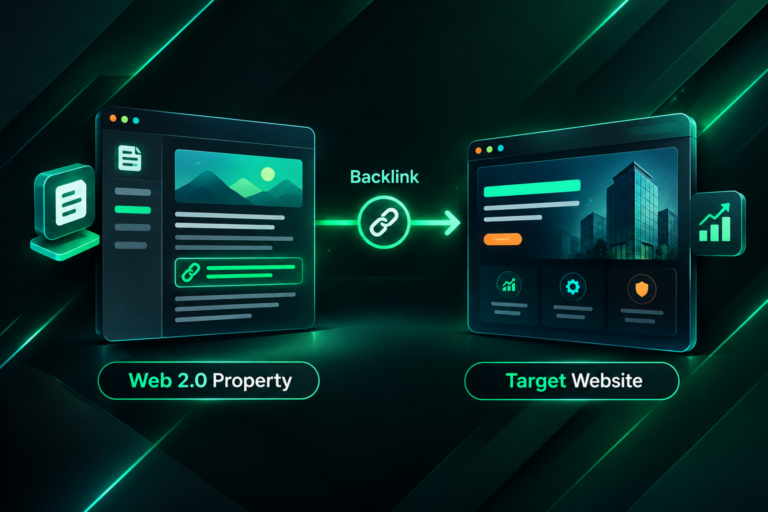
For backlinks specifically, the issue is that the referring domain’s link points to an intermediate URL rather than the page that actually exists and ranks. If a publisher linked to your old blog post URL two years ago, and that URL now redirects through three intermediate addresses before reaching the live page, the backlink is technically functional but may not be delivering its full potential value. The same applies to internal links, but external backlinks are harder to update because you do not control the referring site.
Common Causes of Redirect Chains in Backlink Profiles
Redirect chains in backlink profiles typically accumulate over time rather than appearing all at once. Understanding the common causes helps you prioritise which chains to fix first and how to prevent new ones from forming.
- Domain migrations: When a site moves from one domain to another, all old URLs are redirected. If the site later restructures its URL architecture, a second layer of redirects is added on top of the first, creating chains.
- HTTP to HTTPS migration: Sites that migrated to HTTPS but retained old HTTP redirects from a previous migration may have chains where HTTP redirects to HTTPS, which then redirects to a new URL structure.
- CMS or platform changes: Moving from one content management system to another often changes URL patterns. If the previous platform’s redirects were not cleaned up, chains can form.
- URL restructuring: Changing category structures, removing subfolders, or updating slug formats without updating existing redirects creates new chains on top of old ones.
- Trailing slash inconsistencies: Some servers redirect between versions of a URL with and without a trailing slash, adding an unintended hop before the main redirect fires.
- WWW and non-WWW variations: If canonical domain preference is not configured correctly, a redirect from www to non-www (or vice versa) may fire before the intended redirect, adding an extra step.
How to Find Redirect Chains Affecting Your Backlinks
Identifying redirect chains requires combining a site crawl with backlink data. Neither source alone gives you the complete picture.
Step 1: Crawl Your Site for Redirect Chains
Tools such as Screaming Frog SEO Spider, Sitebulb, or the technical audit features in Ahrefs and Semrush can crawl your site and flag URLs that are part of a redirect chain. In Screaming Frog, the Response Codes report will show 3xx redirects, and the Redirect Chains report specifically identifies URLs where the chain length exceeds one hop. Export this list as a starting point. Pay attention to the chain length column: chains of three or more hops are generally worth prioritising, though even two-hop chains on important pages deserve attention.
Step 2: Cross-Reference with Your Backlink Profile
Once you have a list of URLs involved in redirect chains, cross-reference it with your backlink data. In Ahrefs, the Site Explorer tool shows all referring domains and the specific URLs they link to. Export your backlinks and filter for URLs that appear in your redirect chain list. This tells you which chained URLs have external backlinks pointing to them, and from how many referring domains. Semrush’s Backlink Analytics and Google Search Console’s Links report can provide similar data, though the coverage and metrics differ between tools.
Prioritise chained URLs that have backlinks from referring domains with strong authority metrics, such as high Domain Rating in Ahrefs or high Authority Score in Semrush. These are the chains where fixing the redirect path is most likely to recover meaningful link equity. Note that third-party authority metrics are proprietary estimates and do not directly reflect Google’s internal assessment of a domain’s quality, but they are a practical proxy for prioritisation.
Step 3: Check for Redirect Loops
A redirect loop occurs when a chain of redirects eventually points back to a URL earlier in the chain, creating an infinite loop. Crawl tools will flag these separately. Redirect loops prevent any link equity from being passed and make the page inaccessible to both users and crawlers. These should be treated as urgent fixes regardless of whether backlinks are involved.
How to Fix Redirect Chains: The Core Approach
The correct fix for a redirect chain is to update the redirect at the source so that it points directly to the final destination URL, bypassing all intermediate steps. Adding another redirect at the end of the chain does not solve the problem; it makes it longer. The goal is a single, direct 301 redirect from the original URL to the live page.
Fixing Chains Within Your Own Site
If the redirect chain exists entirely within your own domain, you have full control over the fix. Access your server configuration files (such as .htaccess for Apache servers or nginx.conf for Nginx), your CMS redirect manager, or your CDN’s redirect rules, depending on how your redirects are implemented. Identify each URL in the chain and update the redirect rule for the first URL so it points directly to the final destination. Then remove or update the intermediate redirect rules to prevent them from firing for other traffic.
For example, if URL A redirects to URL B, and URL B redirects to URL C, update URL A’s redirect rule to point directly to URL C. If URL B is no longer needed as a redirect source for any other URL, you can remove that rule entirely. If URL B still receives direct traffic or has its own backlinks, keep a direct redirect from URL B to URL C as well, but ensure URL A no longer passes through URL B.
After making changes, re-crawl the affected URLs using your crawl tool to confirm the chain has been resolved and that the redirect now resolves in a single hop. Also check that the final destination returns a 200 status code rather than another redirect.
Fixing Chains That Span Multiple Domains
If your site has undergone a domain migration and the redirect chain starts on an old domain you still control, the fix is the same: update the redirect on the old domain to point directly to the correct URL on the new domain. If you no longer control the old domain, you cannot fix the chain at the source, and the backlinks pointing to that old domain are effectively lost unless you can contact the referring site and request an update.
When You Cannot Fix the Redirect at the Source
In some cases, the intermediate URL in a chain is on a third-party platform, a legacy system you no longer have access to, or a domain that has expired. In these situations, the practical options are limited. If the backlink is valuable enough, you can reach out to the referring site and ask them to update the link to point directly to your current URL. This is a manual outreach task similar to broken link building, and the success rate will depend on the responsiveness of the publisher and the relationship you have with them. For high-value referring domains, this effort is often worthwhile. For lower-value links, the time investment may not be justified.
Prioritising Which Redirect Chains to Fix First
Not every redirect chain requires immediate attention. A practical prioritisation framework helps you allocate time and resources effectively, particularly if your site has a large number of legacy redirects.
- High-value backlinks: Chains that affect URLs with backlinks from authoritative or highly relevant referring domains should be fixed first. These are the links most likely to deliver measurable SEO benefit once the chain is resolved.
- Key commercial or conversion pages: Redirect chains leading to your most important landing pages, product pages, or service pages deserve priority because these pages are most directly connected to business outcomes.
- Long chains: Chains of three or more hops are more likely to cause meaningful equity loss and crawl inefficiency than two-hop chains. Address the longest chains first.
- Redirect loops: These should always be treated as urgent because they prevent the page from being accessible at all.
- High-traffic URLs: Even if a URL has few backlinks, if it receives significant organic or referral traffic, a redirect chain adds unnecessary latency and user experience friction.
The Relationship Between Redirect Chains and Link Equity
Link equity, sometimes called link juice or PageRank, is the value passed from one page to another through a hyperlink. When a backlink points to a URL that redirects to another URL, some of that equity is passed through the redirect. A single 301 redirect is widely considered to pass the majority of link equity, though Google has not published a precise figure. The concern with redirect chains is that each additional hop may reduce the equity passed, and the cumulative effect across a long chain could be significant.
It is important to be precise about what fixing redirect chains can and cannot achieve. Resolving a chain does not create new link equity; it removes an obstacle that may have been preventing existing equity from being passed efficiently. The improvement in rankings or organic visibility, if any, will depend on many other factors including the overall strength of the backlink profile, the quality and relevance of the content on the target page, the competitive landscape for the target keywords, and the technical health of the site more broadly. Fixing redirect chains is one component of technical SEO hygiene, not a standalone ranking strategy.
Preventing Redirect Chains from Forming in the Future
Once you have resolved existing redirect chains, establishing processes to prevent new ones from forming is equally important. Redirect chains most commonly accumulate because teams add new redirects without checking whether the destination URL is itself a redirect.
- Audit redirects before adding new ones: Before creating a redirect from URL A to URL B, check whether URL B already redirects somewhere else. If it does, point URL A directly to the final destination.
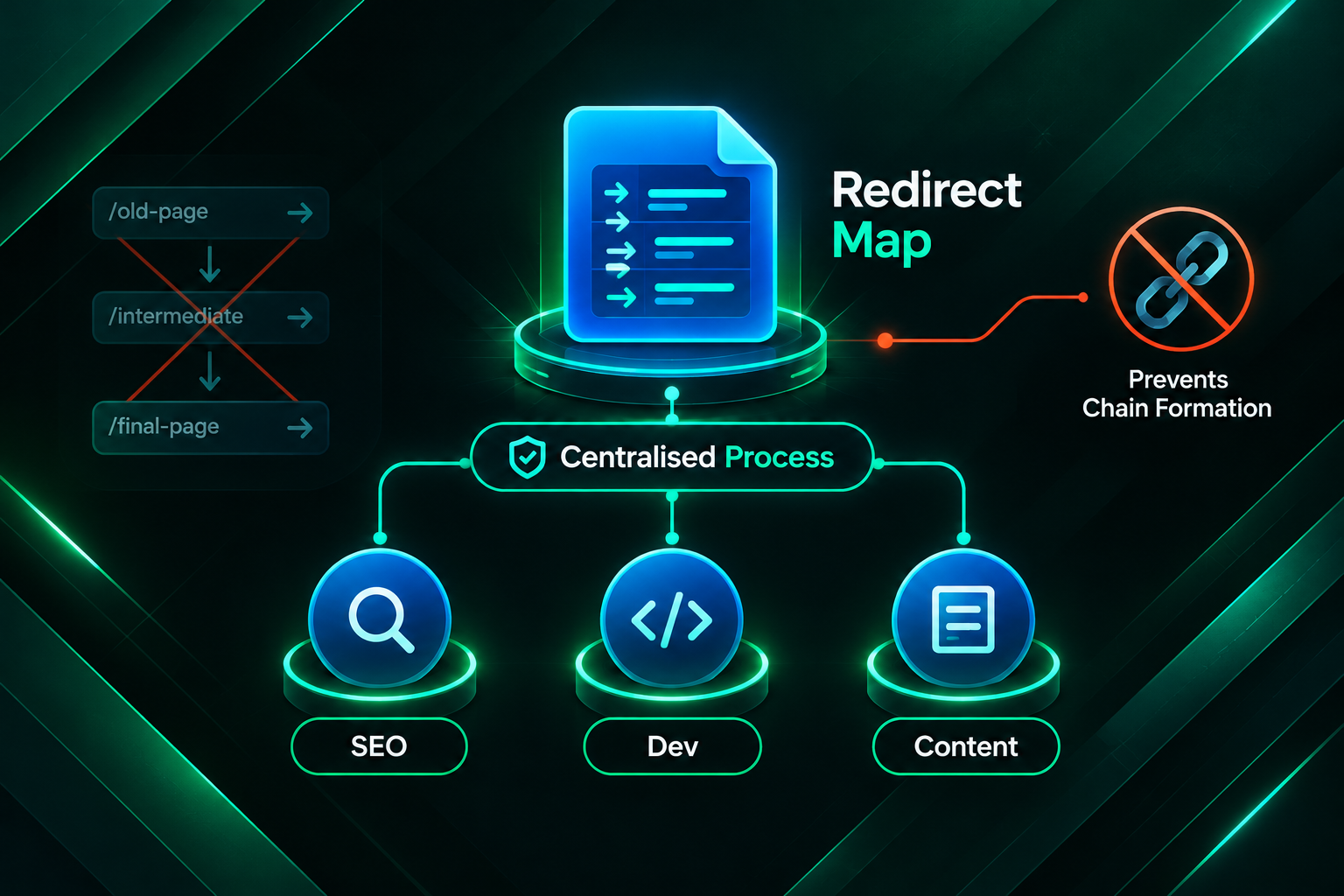
- Maintain a redirect map: Keep a documented record of all active redirects, including the source URL, destination URL, redirect type, and the date it was created. This makes it easier to identify chains when new redirects are added.
- Include redirect audits in site migrations: Any time you migrate a domain, change URL structures, or move to a new CMS, include a redirect chain audit as part of the post-migration QA process.
- Schedule periodic crawl audits: Run a full site crawl at regular intervals, such as quarterly, to catch new redirect chains before they accumulate. Many crawl tools can be configured to run scheduled audits automatically.
- Coordinate between teams: Redirect chains often form because development, content, and SEO teams add redirects independently without a shared process. A centralised redirect management workflow reduces this risk.
Redirect Chains and Backlink Outreach: A Practical Connection
For businesses actively building backlinks, redirect chain management has a direct practical implication. If you are acquiring new backlinks through manual outreach, guest posting, or digital PR, those links should point to the correct final URL from the start. Sending a publisher a URL that is itself part of a redirect chain means the new backlink immediately delivers less value than it could. Before sharing target URLs with outreach teams or link building partners, verify that each URL returns a 200 status code and is not part of a redirect chain.
Similarly, if you are working with an outsourced link building provider, it is worth confirming that the URLs you provide as link targets have been checked for redirect issues. A well-managed link building campaign should include a pre-campaign technical check of target pages, but this is worth confirming explicitly with your provider rather than assuming it is part of their standard process.
Tools for Ongoing Redirect Chain Monitoring
Several tools can help you monitor redirect chains on an ongoing basis rather than only discovering them after they have accumulated.
- Screaming Frog SEO Spider: Provides a dedicated Redirect Chains report and can be scheduled to run automated crawls. Useful for site-wide audits and for checking specific URL lists.
- Ahrefs Site Audit: Flags redirect chains as part of its technical audit and can cross-reference them with backlink data within the same platform.
- Semrush Site Audit: Identifies redirect chains and loops, and provides recommendations for resolution. The Backlink Audit tool can be used alongside it to identify which chained URLs have external links.
- Google Search Console: Does not directly report redirect chains, but the Coverage report and the Links report can help identify pages that are not being indexed as expected, which may indicate redirect or crawl issues.
- Sitebulb: Provides visual redirect chain diagrams that make it easier to understand the structure of complex chains and identify where to intervene.
Frequently Asked Questions
Does a 301 redirect chain hurt SEO?
A single 301 redirect is generally considered to pass most link equity and is standard practice for URL changes. A chain of multiple 301 redirects may reduce the equity passed with each additional hop and increases crawl time. The practical impact depends on the chain length, the importance of the affected pages, and the strength of the backlinks involved. Chains of three or more hops on important pages are worth resolving.
How many redirects are too many in a chain?
There is no universally agreed threshold, but most SEO practitioners treat chains of three or more hops as a priority for resolution. Google’s crawlers will follow redirect chains up to a certain length before stopping, though the exact limit is not publicly documented. Even two-hop chains on high-value pages are worth fixing if the fix is straightforward.
Will fixing redirect chains improve my rankings?
Fixing redirect chains removes a technical obstacle that may have been reducing the efficiency of link equity transfer. Whether this results in measurable ranking improvements depends on many other factors, including the overall quality and quantity of your backlink profile, the competitiveness of your target keywords, and the quality of your content. It is a technical SEO improvement, not a guaranteed ranking boost.
Should I contact referring sites to update links affected by redirect chains?
For high-value backlinks from authoritative referring domains, reaching out to request a direct link update is worth considering. The effort involved in manual outreach means this approach is most practical for a small number of priority links rather than as a bulk strategy. For most redirect chains, fixing the redirect at the source is more efficient than contacting every referring site.
Can redirect chains cause a Google penalty?
Redirect chains are a technical inefficiency rather than a policy violation. Google does not issue manual actions for redirect chains. However, very long chains or redirect loops can prevent pages from being crawled and indexed, which has a practical negative effect on visibility even without a formal penalty.
How do I check if a specific backlink is affected by a redirect chain?
Take the URL that the referring site links to and enter it into a redirect checker tool such as the Redirect Path browser extension, httpstatus.io, or the redirect checker built into Screaming Frog. The tool will show you each hop in the redirect sequence and the final destination URL. If there is more than one hop, the backlink is affected by a redirect chain.
Fixing Redirect Chains as Part of a Broader SEO Strategy
Resolving redirect chains affecting backlinks is a worthwhile technical SEO task, particularly for sites that have undergone migrations, URL restructuring, or platform changes. The core fix is straightforward: update the redirect at the source to point directly to the final destination, eliminating intermediate hops. Prioritise chains that affect pages with strong backlinks or high commercial importance, and establish a process to prevent new chains from forming as your site evolves.
It is equally important to recognise what redirect chain fixes cannot do. They do not create new link equity, replace the need for a strong and growing backlink profile, or resolve ranking problems caused by content quality, search intent mismatch, or competitive gaps. If your site’s organic visibility is underperforming, a technical audit that includes redirect chain analysis is a sensible starting point, but it should be considered alongside a review of content quality, internal linking, and the overall backlink profile. If you are planning a link building campaign or working with an outsourced provider, ensuring your target URLs are technically clean before outreach begins will help ensure that new backlinks deliver their full potential value from the moment they go live.