
Outreach email deliverability determines whether your link building messages reach a prospect’s inbox or disappear into a spam folder before anyone reads them. Even a well-researched, personalised outreach sequence will produce poor results if the underlying sending infrastructure is misconfigured or if your domain has accumulated a poor sender reputation. This guide explains how to test outreach email deliverability systematically, what the results mean, and how to address the most common problems before they undermine a campaign.
Key Takeaways
- Deliverability testing should happen before a campaign launches, not after response rates drop unexpectedly.
- Authentication records — SPF, DKIM, and DMARC — are the foundation of inbox placement and must be verified first.
- Spam filter testing tools can simulate how major email providers evaluate your messages, but they cannot guarantee inbox placement across every recipient domain.
- Sender reputation, domain age, sending volume, and email content all interact; fixing one factor in isolation may not resolve a deliverability problem.
- For link building outreach specifically, deliverability issues directly reduce the number of publishers who see your pitch, which affects placement rates and campaign timelines.
Why Outreach Email Deliverability Matters for Link Building
Link building outreach depends on a simple chain: you send an email, a publisher reads it, and a conversation begins. If your emails are not reaching inboxes, the rest of the process — the pitch quality, the content offer, the relationship — becomes irrelevant. Deliverability problems are often invisible at first. Open rates may appear low, but without testing you cannot distinguish between a weak subject line and a message that never arrived. For agencies and in-house SEO teams running manual outreach campaigns, undetected deliverability issues can waste weeks of prospecting and content preparation work.
Deliverability is not a binary pass-or-fail state. Email providers use a combination of authentication checks, sender reputation signals, content analysis, and engagement history to decide where a message is placed. A domain that passes basic authentication may still land in spam if the sending IP has a poor reputation, if the email content triggers filter rules, or if the domain is too new to have established trust. Understanding which factors apply to your setup requires deliberate testing rather than assumption.
Step One: Verify Your Email Authentication Records
Authentication records are the first thing to check because they are the most fundamental deliverability requirement. Three standards are relevant for outreach email: SPF, DKIM, and DMARC. SPF, or Sender Policy Framework, is a DNS record that specifies which mail servers are authorised to send email on behalf of your domain. DKIM, or DomainKeys Identified Mail, adds a cryptographic signature to outgoing messages so that receiving servers can verify the message has not been altered in transit. DMARC, or Domain-based Message Authentication, Reporting and Conformance, tells receiving servers what to do when SPF or DKIM checks fail, and provides a reporting mechanism so you can monitor authentication failures.
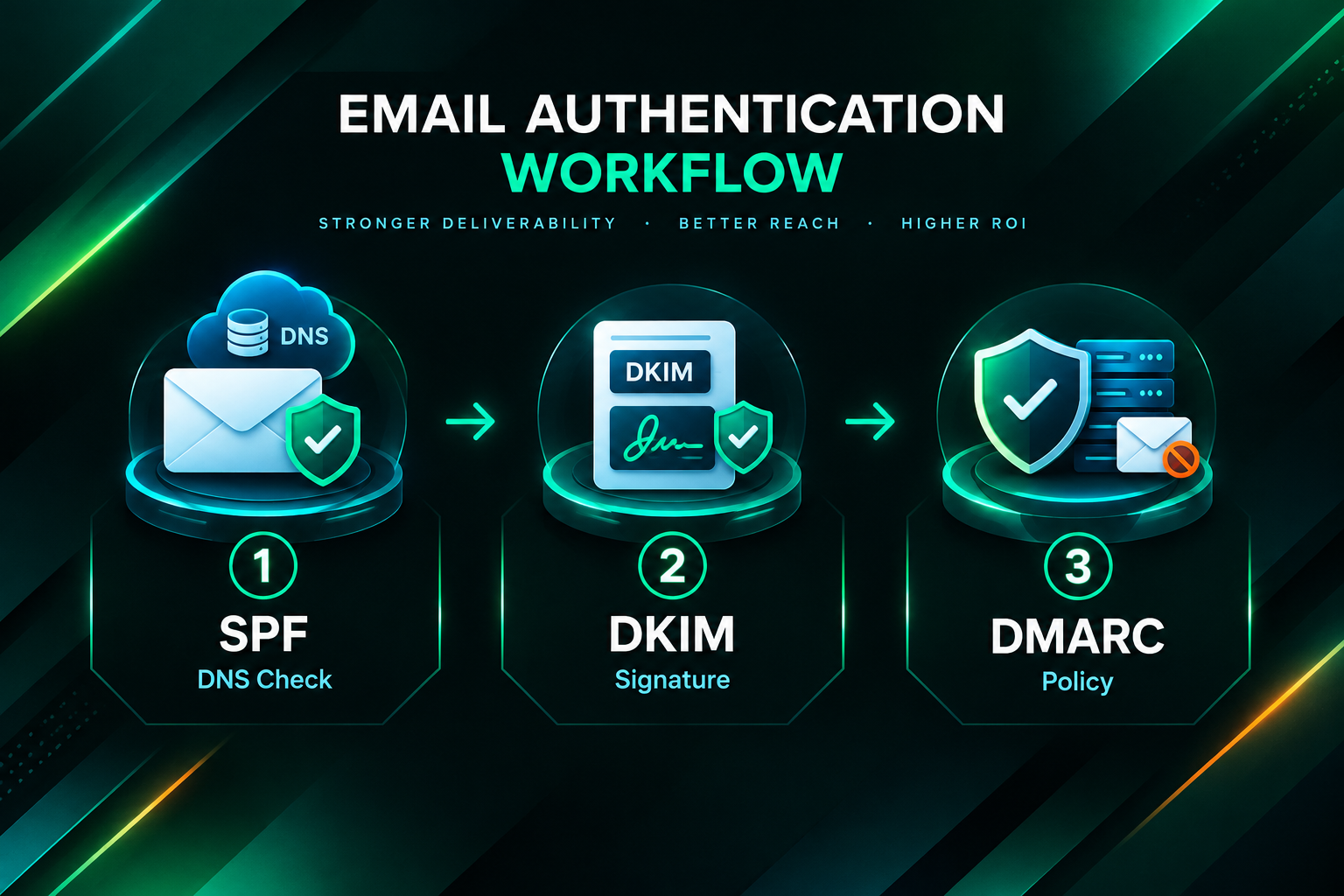
To test these records, you can use free DNS lookup tools such as MXToolbox, which checks SPF, DKIM, and DMARC records and flags common configuration errors. Google’s Admin Toolbox performs similar checks and is particularly useful if your outreach domain uses Google Workspace. If any of these records are missing or misconfigured, inbox placement will be unreliable regardless of how good your email content is. Fixing authentication issues is a prerequisite, not an optional improvement.
One common mistake is having an SPF record that does not include the sending service you are actually using. If your outreach is sent through a tool such as Lemlist, Mailshake, or a similar platform, that platform’s sending servers must be listed in your SPF record. Similarly, DKIM must be configured for the specific sending domain, not just the root domain, if you are using a subdomain for outreach.
Step Two: Check Your Domain and IP Reputation
Even with correct authentication records, a domain or IP address with a poor sender reputation will struggle to reach inboxes. Sender reputation is built over time through engagement signals — whether recipients open, reply to, or mark messages as spam — and through the history of the sending domain and IP address. For link building outreach, where you are typically emailing people who have not opted in to receive your messages, maintaining a clean reputation requires careful list hygiene and controlled sending volume.
Several tools allow you to check domain and IP reputation directly. Google Postmaster Tools provides reputation data for domains sending to Gmail accounts, which is particularly valuable given Gmail’s market share among website owners and publishers. Microsoft’s Smart Network Data Services, or SNDS, offers equivalent data for Outlook and Hotmail recipients. Third-party tools such as Sender Score from Validity and Talos Intelligence from Cisco provide broader reputation assessments across multiple email providers and spam filter networks.
Blacklist checks are a related but distinct step. A domain or IP that appears on a major email blacklist — such as Spamhaus, Barracuda, or SURBL — will be blocked or heavily filtered by many receiving servers. Tools such as MXToolbox’s blacklist checker and MultiRBL allow you to test against dozens of blacklists simultaneously. If your domain or IP appears on a blacklist, you will need to identify the cause, resolve it, and then submit a delisting request to the relevant blacklist operator. Delisting is not always immediate and some blacklists have waiting periods.
Step Three: Use Inbox Placement Testing Tools
Inbox placement testing tools send a test email to a set of seed addresses across multiple email providers and report where the message was delivered — inbox, spam folder, or not delivered at all. These tools simulate the experience of a real recipient and provide a more realistic picture of deliverability than authentication checks alone.
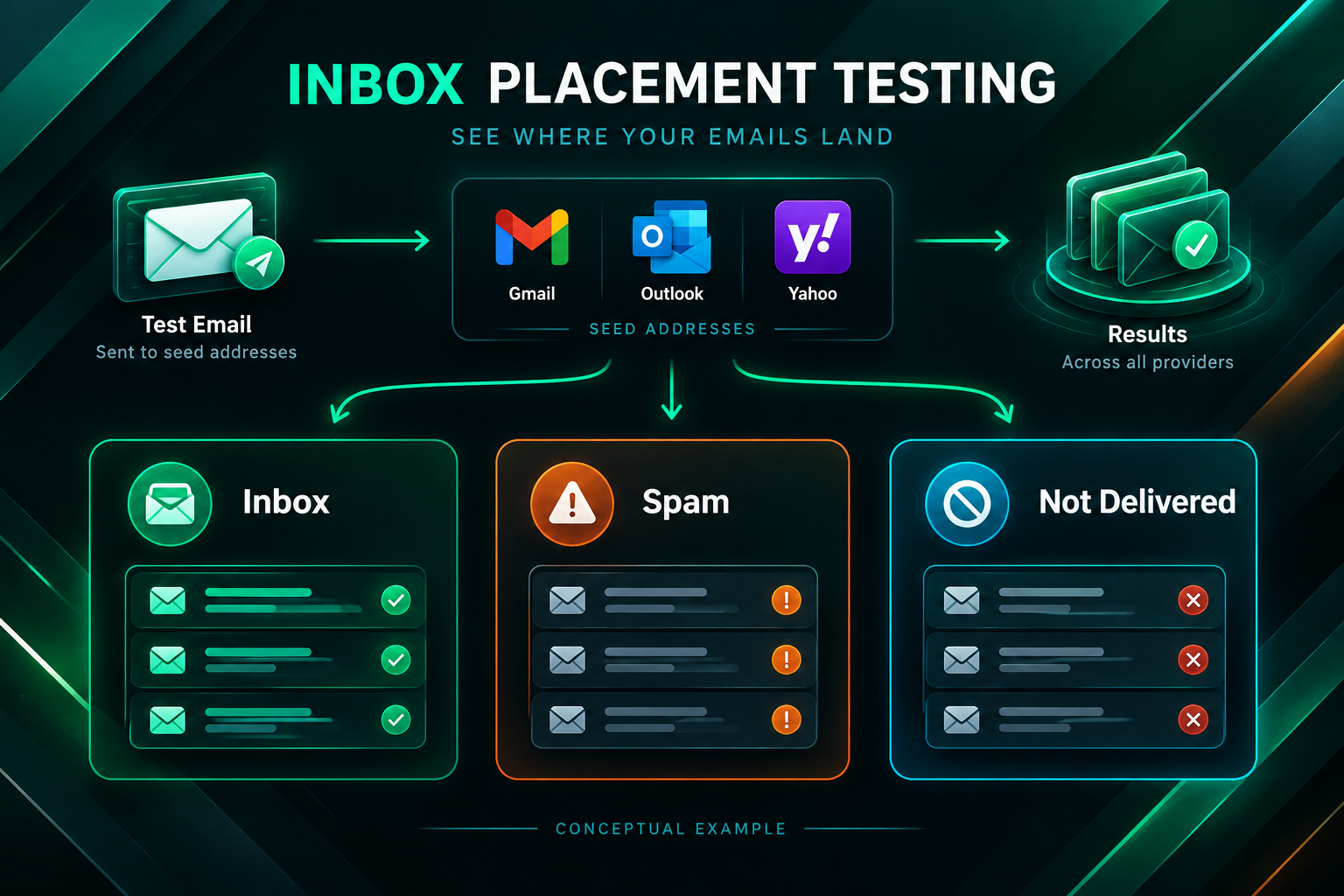
Mail-Tester is a widely used free option that provides a score and a breakdown of issues including authentication, content, and blacklist status. GlockApps offers more detailed inbox placement reporting across a larger set of email providers and is commonly used by agencies running high-volume outreach. Litmus and Email on Acid are primarily email design and rendering tools but also include deliverability testing features. Mailtrap is useful for testing in development environments before a campaign goes live.
When interpreting inbox placement test results, it is important to understand their limitations. Seed-based testing reflects how your email performs against a specific set of test addresses at a specific moment. Real-world inbox placement varies by recipient domain, recipient engagement history, and the content of each individual email. A test result showing strong inbox placement does not guarantee that every outreach email in your campaign will avoid spam filters, particularly if your sending volume increases significantly or if your email content changes between the test and the live campaign.
Step Four: Analyse Your Email Content for Spam Triggers
Email content analysis is a separate layer of deliverability testing that examines the message itself rather than the sending infrastructure. Spam filters use content scoring to evaluate messages, and certain patterns — excessive use of promotional language, large numbers of links, HTML-heavy formatting, or misleading subject lines — can increase the likelihood of spam classification.
SpamAssassin is an open-source spam filter that many email providers use as part of their filtering stack. Running your outreach email through a SpamAssassin-based checker, which is included in tools such as Mail-Tester and GlockApps, shows which content elements are contributing to a higher spam score. Common issues in link building outreach emails include using too many hyperlinks in a single message, including link-related language that resembles commercial spam, and using subject lines that contain words or phrases associated with unsolicited email.
Plain-text or lightly formatted HTML emails generally perform better in spam filter content analysis than heavily designed templates. For link building outreach specifically, where the goal is a natural editorial conversation rather than a marketing broadcast, a simple, personalised plain-text email is often both more deliverable and more likely to receive a genuine response. Reducing the number of links in the email body — ideally to one or two — and avoiding attachments in initial outreach messages can also reduce spam scoring.
Step Five: Test with Real Accounts Across Major Providers
In addition to seed-based testing tools, manually sending test emails to accounts you control at major email providers gives you direct visibility into inbox placement. Creating test accounts at Gmail, Outlook, and Yahoo and sending your outreach template to those addresses takes only a few minutes and provides a straightforward check of how your message is treated by the most common email providers used by website owners and publishers.
This manual approach is particularly useful for checking how your email renders in different clients, whether images or formatting cause display problems, and whether the unsubscribe mechanism works correctly if you are including one. It also allows you to test variations — for example, comparing a plain-text version against an HTML version — to see whether formatting choices affect placement. While this method does not replace the breadth of a seed-based inbox placement test, it is a fast and practical sanity check that can be repeated quickly whenever you make changes to your email template or sending configuration.
Step Six: Warm Up New Sending Domains Before Outreach
If you are using a new domain or a domain that has not been used for email sending recently, inbox placement testing will likely show poor results until the domain has been warmed up. Email providers treat new or low-volume sending domains with greater suspicion because they have no engagement history to evaluate. Domain warm-up involves gradually increasing sending volume over several weeks, starting with small numbers of emails to engaged recipients, to build a positive sending reputation before scaling outreach.
Automated warm-up tools such as Warmup Inbox, Lemwarm, and Mailwarm send emails between a network of accounts and simulate positive engagement signals — opens, replies, and moving messages out of spam — to help establish a sender reputation more quickly. These tools can be useful, but they simulate engagement rather than generating genuine recipient interest, and their effectiveness varies depending on the email provider and the specific warm-up network being used. A more conservative approach is to begin with a small number of genuine outreach emails to highly relevant prospects and increase volume gradually as positive engagement accumulates.
For link building campaigns, using a dedicated outreach domain — separate from your primary business domain — is a common practice that limits the risk of deliverability problems affecting your main business email. If the outreach domain develops a poor reputation or appears on a blacklist, it can be replaced without affecting the primary domain’s sending reputation.
Monitoring Deliverability During an Active Campaign
Deliverability testing is not a one-time activity. Sender reputation and inbox placement can change during a campaign, particularly if sending volume increases, if recipients mark messages as spam, or if the email content changes. Monitoring key metrics throughout a campaign allows you to identify problems early before they affect a large portion of your outreach list.
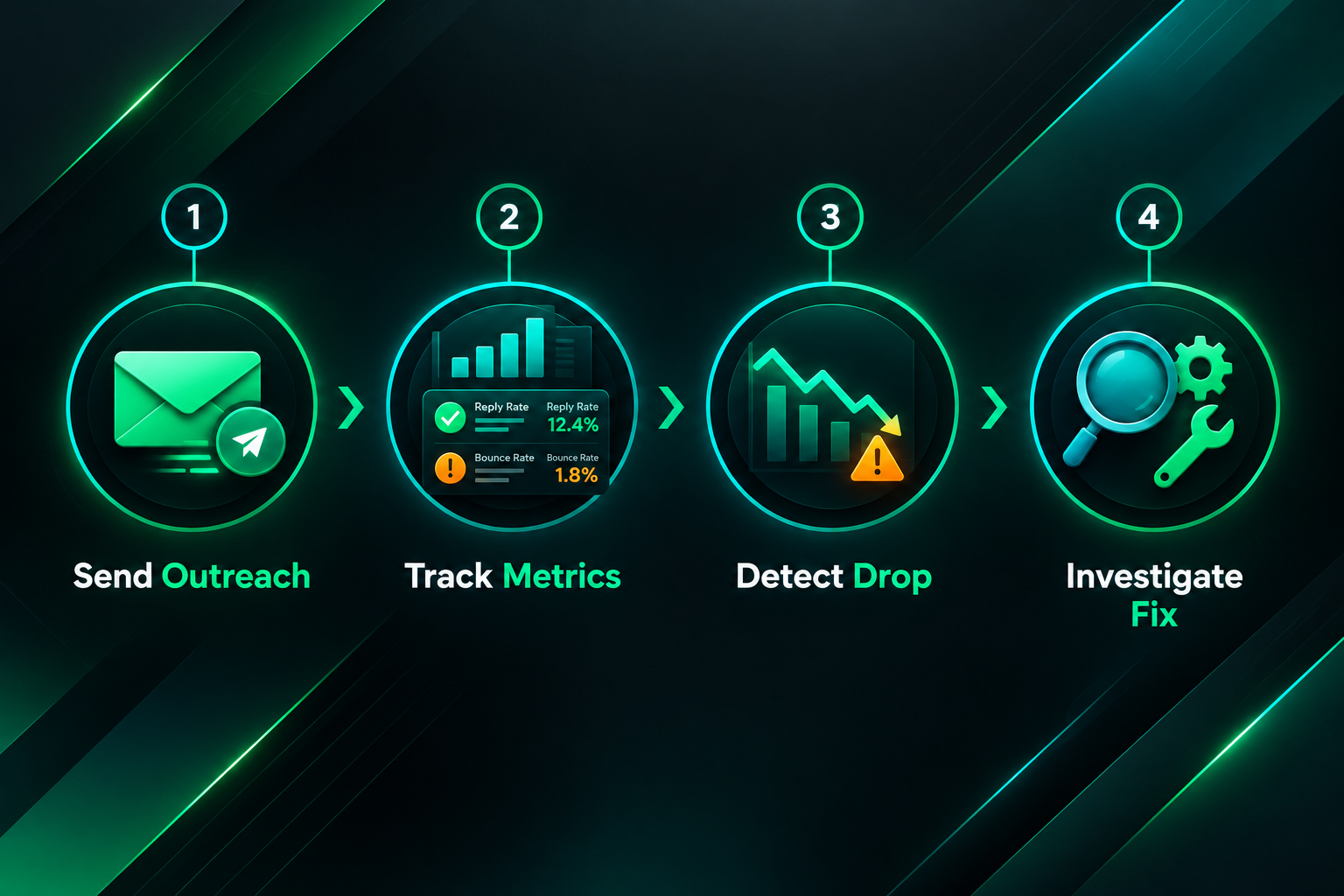
Open rate is the most commonly tracked proxy for deliverability, but it is an imperfect signal. Apple’s Mail Privacy Protection, introduced in 2021, pre-loads email tracking pixels regardless of whether a recipient actually opens the message, which inflates open rates for Apple Mail users. Reply rate is a more reliable indicator of genuine inbox placement and recipient engagement. A sudden drop in reply rate without a corresponding change in email content or targeting is worth investigating as a potential deliverability issue.
Bounce rate is a more direct deliverability signal. Hard bounces — where the recipient address does not exist — should be removed from your list immediately, as a high hard bounce rate damages sender reputation quickly. Soft bounces, which indicate a temporary delivery failure, should be monitored and addresses that consistently soft-bounce should be removed after a reasonable number of attempts. Email verification tools such as NeverBounce, ZeroBounce, and Hunter’s email verifier can be used to validate prospect email addresses before sending, reducing bounce rates and protecting sender reputation.
Deliverability Considerations Specific to Link Building Outreach
Link building outreach has characteristics that create specific deliverability challenges. Unlike permission-based email marketing, outreach is sent to recipients who have not opted in to receive messages. This means engagement rates are inherently lower, and the risk of spam complaints is higher than for a subscribed audience. Managing this risk requires careful list quality, genuine personalisation, and controlled sending volume.
Outreach emails that mention links, backlinks, or SEO explicitly in the subject line or early in the body may be more likely to trigger spam filters or be ignored by recipients who receive many similar requests. Framing outreach around the content value being offered — a relevant article, a useful resource, a genuine editorial contribution — rather than the link itself tends to produce better deliverability and response outcomes. This is consistent with the editorial approach that underpins manual outreach link building, where the goal is to earn a placement through genuine relevance rather than a transactional request.
Sending to verified, relevant prospects rather than large unverified lists reduces bounce rates and spam complaints. Segmenting outreach by publisher type, topic relevance, and geographic market allows you to tailor email content more precisely, which can improve both deliverability and response rates. Following up with non-responders is standard practice in outreach, but excessive follow-up sequences — particularly automated ones sent at high frequency — increase the risk of spam complaints and can damage sender reputation over time.
Frequently Asked Questions
How often should I test outreach email deliverability?
Testing before a new campaign launches is the minimum. If you change your email template, sending domain, or outreach tool, run a fresh deliverability test before scaling. During active campaigns, monitor bounce rates and reply rates continuously and run a full inbox placement test if either metric drops unexpectedly.
Can I improve deliverability without changing my email content?
Yes, in some cases. Fixing authentication records, resolving blacklist listings, warming up a new sending domain, and cleaning your prospect list can all improve deliverability without changing the email content itself. However, if content analysis shows a high spam score, content changes will also be necessary.
Does using a dedicated outreach domain protect my main domain?
Using a separate domain for outreach limits the risk of deliverability problems affecting your primary business email. If the outreach domain’s reputation deteriorates, it can be replaced. However, a dedicated domain still requires proper authentication setup and warm-up before use, and it does not eliminate the need for good sending practices.
What is a reasonable inbox placement rate for link building outreach?
Inbox placement rates vary significantly depending on the sending domain’s reputation, the email content, and the recipient’s email provider. There is no universal benchmark that applies across all outreach campaigns. Seed-based testing tools typically report placement rates as a percentage, and a result below 80–85% across major providers is generally worth investigating, though this threshold is not a guarantee of campaign success.
Will personalising outreach emails improve deliverability?
Personalisation can reduce spam scoring by making emails less similar to bulk templates, and it tends to improve reply rates, which over time contributes positively to sender reputation. However, personalisation alone does not compensate for authentication failures, blacklist listings, or a poor sending IP reputation. Deliverability improvements require addressing infrastructure and reputation factors alongside content quality.
How long does domain warm-up take before outreach can scale?
Domain warm-up timelines vary depending on the email provider, the warm-up approach, and the target sending volume. A conservative warm-up process typically takes four to eight weeks before a domain can support moderate outreach volumes reliably. Rushing this process by increasing volume too quickly can result in deliverability problems that take longer to resolve than the time saved.
Making Deliverability Testing a Standard Part of Your Outreach Process
Outreach email deliverability testing is most effective when it is treated as a routine part of campaign preparation rather than a troubleshooting step used only after problems appear. Verifying authentication records, checking domain and IP reputation, running inbox placement tests, and analysing email content for spam triggers before a campaign launches gives you a realistic picture of whether your messages are likely to reach the publishers and website owners you are targeting.
For link building campaigns specifically, where each outreach email represents a prospecting and research investment, poor deliverability is a direct cost. Publishers who never receive your pitch cannot respond to it, and the resulting gap in your campaign data — low open rates, low reply rates — can be misread as a targeting or messaging problem when the underlying issue is technical. Addressing deliverability systematically, and monitoring it throughout a campaign, protects that investment and gives your outreach the best realistic chance of generating editorial conversations and placements.
If your team is managing outreach at scale or across multiple client campaigns, it may be worth reviewing whether your current sending infrastructure, domain setup, and list hygiene processes are adequate for the volume you are running. A qualified SEO or outreach specialist can help assess your setup and identify whether deliverability factors are contributing to underperformance before you invest further in prospecting or content creation.